Affiliate disclosure: PicksLab earns commissions on qualifying Amazon purchases, at no extra cost to you.
Did your home server start as a place to keep files, then turn into a media library, a game server and somewhere to try new software? That’s where a memory upgrade can become useful. Each service needs room to work, and a machine that was comfortable doing one job can run short when several jobs overlap.
More RAM can let those services run together without constantly moving working data to disk. It won’t repair a slow internet connection, add video-transcoding hardware or turn an overloaded CPU into a faster one. Before buying, establish that memory is the constraint, then find the type your machine accepts. A desktop, a mini PC and a used enterprise server can require very different things despite all being called a home server.
TL;DR - Our recommendation: Keep working memory until your workload needs more. For a compatible DDR4 desktop that needs 32GB, the Corsair Vengeance LPX kit is the least expensive of the four options below, but its advertised 3200 speed is an XMP profile, not its default setting. The other kits illustrate different upgrade paths; they aren’t interchangeable runners-up.
Current Prices and the Machines They Fit
Regular new US offers checked October 8, 2026, ordered by price. All had enabled Add to cart controls and free standard shipping to the displayed US destination. Prices exclude tax and aren’t Prime-only or credit-card offers. These are substantial upgrade costs, not bargain claims. Compare an exact compatible kit elsewhere and the cost of a complete replacement system before committing.
| Product | Price checked | Memory path | Purchase consideration |
|---|---|---|---|
| Corsair Vengeance LPX CMK32GX4M2E3200C16 | $249.99 | 32GB, 2x16GB DDR4 desktop UDIMM | Sold/shipped by Amazon.com; default 2133, XMP 3200 |
| Kingston FURY Impact KF432S20IBK2/32 | $400.62 | 32GB, 2x16GB DDR4 SODIMM | Triplenet Pricing INC; stated 8-9-day dispatch |
| TEAMGROUP ELITE TED532G5600C46DC01 | $455.99 | 32GB, 2x16GB DDR5 desktop UDIMM | TEAMGROUP Inc., shipped by Amazon; extended delivery estimate |
| TEAMGROUP ELITE TED532G5600C46ADC-S01 | $469.99 | 32GB, 2x16GB DDR5 SODIMM | TEAMGROUP Inc., shipped by Amazon; in stock at check |
This is a guide to upgrading consumer-PC-based servers, not an enterprise RAM shortlist or a claim that these are the cheapest kits on the entire market. If your board specifies ECC UDIMM, RDIMM or another server-memory type, use its qualified parts list instead of picking from this table.
When More RAM Actually Helps
Think about what you want to run at the same time. A files-and-backups box has a different memory budget from a virtualization host. A game server’s requirements change with the game, mods, world size and players. A local AI workload needs a model-specific plan; system RAM isn’t a substitute for GPU VRAM in software that needs the model on the GPU.
On an existing machine, watch memory during a busy period, not just after boot. Look for sustained memory pressure, active swapping, services being killed for lack of memory, or virtual machines you cannot start without stopping something else. High cache usage alone isn’t proof of a shortage: operating systems can use otherwise spare RAM to cache data.
For a concrete planning example, suppose you want three VMs with 4GB each, allow 4GB for the host, and leave 4GB of spare room. That’s a 20GB planning budget, so 16GB doesn’t fit that plan and 32GB does. Those allocations are illustrative, not minimum requirements for every VM or hypervisor. Substitute the requirements and measurements of your own services. If your total comes to 45GB, buying 32GB because it’s a popular kit size doesn’t solve the problem.
A two-slot mini PC fitted with two 16GB modules is full. Moving to 64GB later usually means replacing both, if the system supports that capacity. A four-slot desktop offers more physical slots, but populating all four can change its supported speed. Check before treating spare slots as a guaranteed inexpensive expansion.
Still deciding what the machine should do? Start with the purpose-first home server build guide. If you’re choosing a small host, the mini-PC server comparison covers memory ceilings alongside storage and network expansion.
The Compatibility Check Before You Order
Write down these five answers from the exact computer or motherboard manual. A CPU family name alone isn’t enough.
- Generation: DDR4 or DDR5? They aren’t interchangeable. Some processor families support either, but the particular motherboard normally determines which you can install.
- Physical module: Full-length desktop UDIMM or shorter SODIMM? DDR4 desktop and SODIMM modules use 288 and 260 pins respectively; the DDR5 equivalents use 288 and 262. Matching pin count alone still doesn’t establish compatibility.
- Electrical type: Non-ECC unbuffered, ECC unbuffered, registered or something else? Don’t buy cheap retired-server RDIMMs for a consumer motherboard requiring UDIMMs. ECC UDIMM and RDIMM are not synonyms.
- Capacity and layout: Maximum total memory, maximum per slot, supported module organization and required slot order. Soldered RAM may not be replaceable. Check whether a two-module kit leaves room to grow.
- Speed and firmware: What can this CPU, board and BIOS run with that number of modules? Check the motherboard’s QVL and the memory vendor’s compatibility tool. An absent QVL entry isn’t proof of incompatibility, but a tested exact match is better evidence than a marketplace title.
Kingston’s DDR5 technical overview explains changed module keys and on-die ECC limitations. TEAMGROUP’s compatibility guidance warns that mixing kits and changing the CPU/BIOS configuration can affect operation. Two separately purchased kits aren’t necessarily equivalent to one validated four-module kit.
Feature Comparison: Shape, Defaults and Profiles
All four are 32GB kits containing two 16GB modules, not single 32GB sticks. None supplies platform-level ECC protection. Operating speed depends on the host’s support and configuration.
| Product | Form factor | Published speed and voltage | What matters for a server |
|---|---|---|---|
| Corsair LPX | DDR4, 288-pin UDIMM | SPD 2133 at 1.2V; tested XMP 3200 CL16 at 1.35V | A locked-down BIOS may not expose XMP |
| Kingston Impact | DDR4, 260-pin SODIMM | Default PnP 3200 CL20 at 1.2V; BIOS determines maximum | Short module for compatible mini PCs/laptops |
| TEAMGROUP DDR5 desktop | DDR5, 288-pin UDIMM | 5600, CL46-46-46-90, 1.1V | Verify actual trained speed on your platform |
| TEAMGROUP DDR5 SODIMM | DDR5, 262-pin SODIMM | 5600, CL46-45-45-90, 1.1V | Different module and timings from the desktop kit |
1. Corsair Vengeance LPX CMK32GX4M2E3200C16
Buy Corsair Vengeance LPX 32GB on Amazon ->
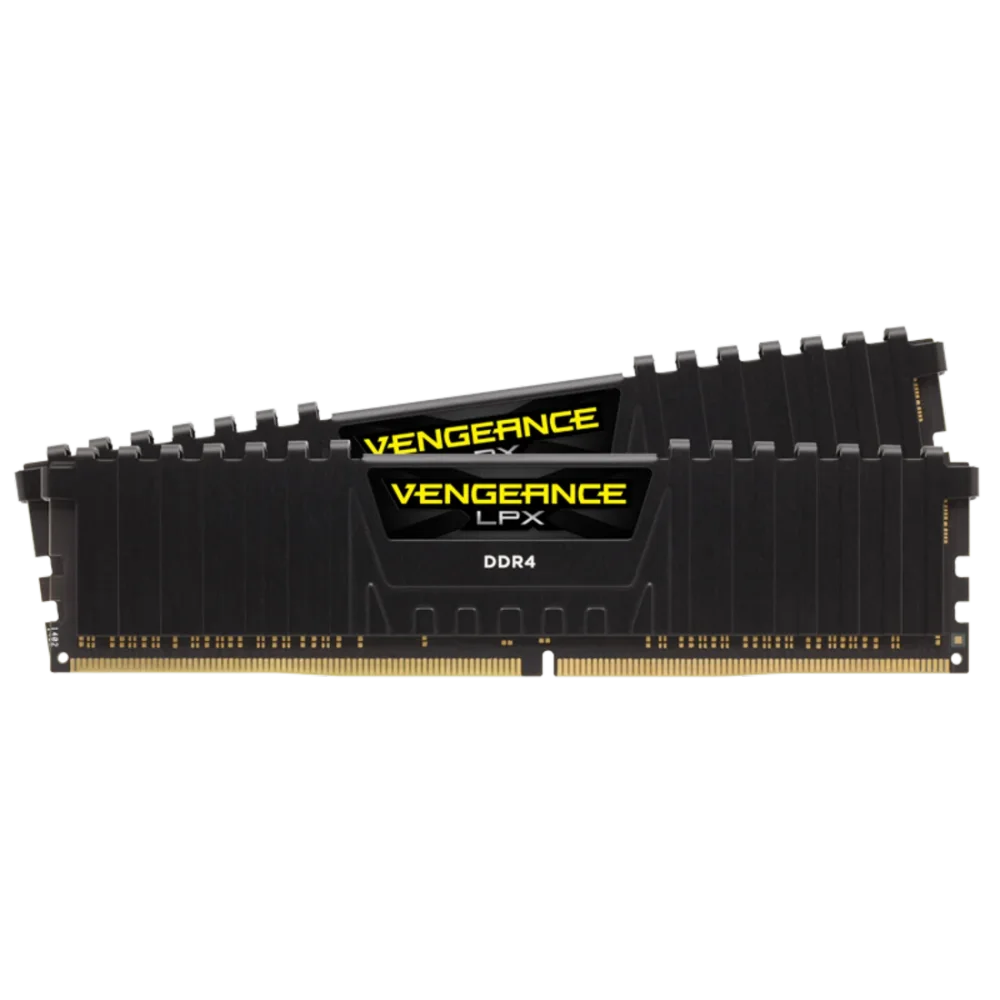 Image: Corsair.
Price checked October 8: $249.99 new.
Key specs: Capacity: 32GB (2x16GB); Module: DDR4 288-pin UDIMM; SPD: 2133 MT/s at 1.2V; Tested profile: 3200 MT/s, CL16, 1.35V; Profile support: XMP 2.0.
The LPX kit is a candidate for a compatible DDR4 tower that needs more capacity. Its low-profile heat spreaders keep the physical design relatively simple, but check cooler clearance and the exact motherboard support list rather than assuming any DDR4 slot qualifies.
The important distinction in Corsair’s specifications is 2133 SPD versus 3200 tested with XMP. A server at the default profile isn’t necessarily running at the large number on the package. Enabling XMP changes settings and requires validation; it isn’t evidence of a speed increase in your services.
Skip it for SODIMM slots, DDR5 boards or systems that require ECC memory. If the host already has adequate working memory, this purchase has no established benefit.
2. Kingston FURY Impact KF432S20IBK2/32
Buy Kingston FURY Impact 32GB DDR4 on Amazon ->
 Image: Kingston’s exact-part page; one module shown.
Price checked October 8: $400.62 new.
Key specs: Capacity: 32GB (2x16GB); Module: DDR4 260-pin SODIMM; Default PnP: 3200 MT/s, CL20-22-22, 1.2V; Module height: 30 mm.
This Impact kit is the DDR4 SODIMM route for a compatible mini PC or repurposed laptop. Unlike the LPX’s XMP distinction, Kingston’s exact datasheet specifies a default Plug N Play 3200 profile at 1.2V. The same sheet says the BIOS determines maximum speed; older machines aren’t guaranteed to run it at 3200.
The checked offer is difficult to justify for a casual upgrade. At over $400 with an 8-9-day dispatch estimate, compare lower-priced compatible alternatives and complete systems first. Its place here is as a documented compatibility option, not a value winner. There’s no reason to pay this amount merely for FURY branding or a small timing difference.
Skip it if your machine uses DDR5 SODIMMs, has soldered memory or cannot accept two 16GB modules. For an urgent repair, the dispatch delay is another reason to look elsewhere.
3. TEAMGROUP ELITE TED532G5600C46DC01
Buy TEAMGROUP ELITE 32GB DDR5 desktop kit on Amazon ->
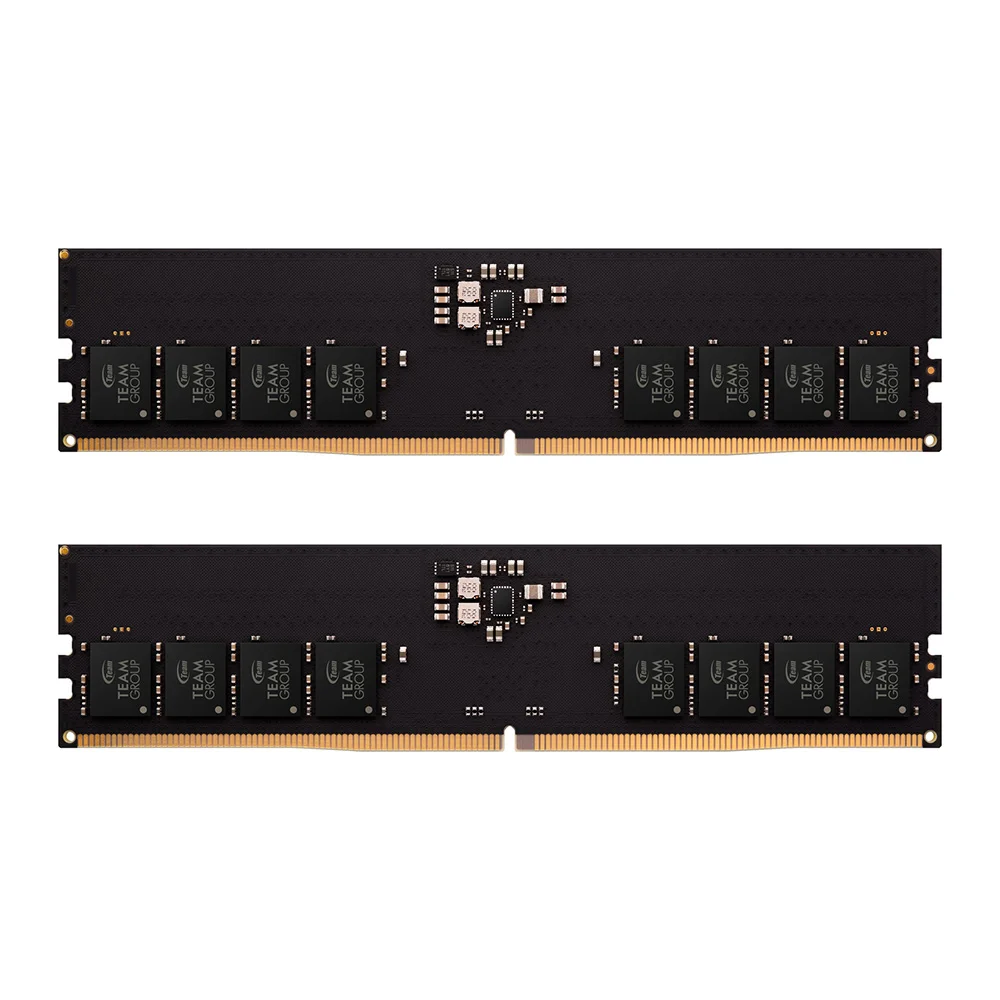 Image: TEAMGROUP’s desktop model page.
Price checked October 8: $455.99 new.
Key specs: Capacity: 32GB (2x16GB); Module: DDR5 288-pin non-ECC unbuffered DIMM; Rated data rate: 5600 MT/s; Timings: CL46-46-46-90; Voltage: 1.1V.
This ELITE kit covers a compatible DDR5 desktop without decorative lighting or a large heat spreader. TEAMGROUP’s specification sheet, ordering table identifies this exact two-module kit and its standard-voltage specification. Don’t confuse it with a single-module listing or the SODIMM kit below.
The attraction is capacity in the right format, not a claim that 5600 makes every server faster. The model page cautions that final speed depends on the system. Check the operating speed after installation rather than changing voltages to chase a label. On-die error correction doesn’t make this an ECC server DIMM.
Skip it for DDR4 boards or registered-memory servers. At this price and with an extended delivery estimate, it makes sense only when a confirmed capacity need and compatible platform justify the spend. It isn’t a reason to replace an adequate DDR4 server.
4. TEAMGROUP ELITE TED532G5600C46ADC-S01
Buy TEAMGROUP ELITE 32GB DDR5 SODIMM kit on Amazon ->
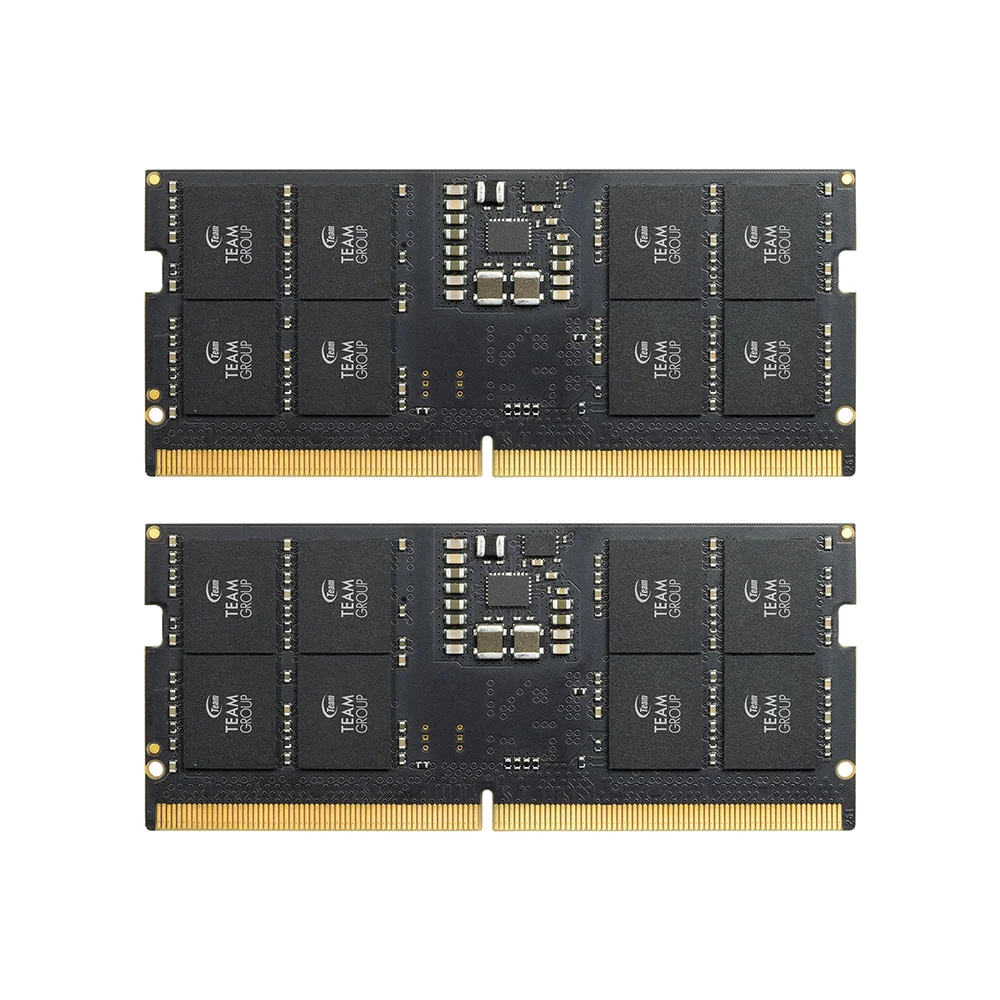 Image: TEAMGROUP ELITE SODIMM family; exact ADC-S01 specifications are in the linked datasheet.
Price checked October 8: $469.99 new.
Key specs: Capacity: 32GB (2x16GB); Module: DDR5 262-pin non-ECC unbuffered SODIMM; Rated data rate: 5600 MT/s; Timings: CL46-45-45-90; Voltage: 1.1V.
This is the DDR5 mini-PC path, with two short modules rather than full-length desktop sticks. The official SODIMM specification sheet distinguishes ADC-S01 from the similar DC-S01 and single-module A-S01 names. Check the complete part number and module count, not just “32GB ELITE.”
Two 16GB modules can help a two-slot host currently constrained by 8GB or 16GB total. They also occupy both slots. If your planned VMs already need more than 32GB, check higher-capacity support before buying a kit you’ll immediately replace. A host capped below 5600 may use a lower supported rate.
Skip it for DDR4 mini PCs, soldered-memory systems or a host that already has sufficient RAM. The checked offer was in stock, but availability isn’t evidence that replacing working memory is worthwhile.
Do You Need ECC?
ECC is worth considering when designing a machine that will hold important data, but it is a platform decision. The processor, motherboard, firmware and memory must support the required error-correction path. “Xeon,” “Ryzen” or “server” in a listing doesn’t establish which DIMM type that machine takes.
DDR5’s on-die ECC corrects certain errors inside a memory chip. As Kingston explains, it doesn’t cover errors between the module and the CPU’s memory controller. A BIOS option cannot turn the kits above into platform-ECC memory. Conversely, an ECC UDIMM isn’t automatically usable in a system built for RDIMMs.
For an enterprise server or an ECC-focused build, use the system vendor’s supported-memory list. ECC doesn’t replace backups: it won’t protect you from accidental deletion, a failed drive or theft.
Install It, Then Check the Workload
Follow the computer’s service manual, power down, disconnect power and take its specified static precautions. Install the kit in the recommended slots. Record existing BIOS settings first; start with supported defaults instead of automatically enabling an overclocking profile.
Confirm the BIOS and operating system see the full capacity. Use the official MemTest86 download and documentation for a suitable bootable memory test. Check its firmware/platform requirements and understand that preparing a USB test drive can erase that drive. Errors can involve memory, settings, motherboard or controller; don’t immediately blame one stick or keep important services on a failing configuration.
A clean test is useful evidence, not a guarantee of lifelong stability. Run your services together again and compare memory pressure, swapping and failures. If CPU or storage was the bottleneck, extra RAM won’t have fixed it. Our gaming-server guide discusses sharing a machine between hosting and playing.
Who Should Buy What
- DDR4 tower: Check the Corsair LPX, including default-versus-XMP speed.
- DDR4 mini PC: The Kingston Impact documents the physical path, but compare alternatives before paying the checked premium.
- DDR5 desktop: Evaluate the TEAMGROUP UDIMM kit against the board’s support list.
- DDR5 mini PC: Check the TEAMGROUP SODIMM kit, including future capacity needs.
- ECC server or no memory pressure: Use qualified server parts for the former; keep your money for the latter.
FAQ
Is 32GB enough for a home server?
It depends on simultaneous workloads. Add the host, VMs, containers and required headroom rather than choosing a number from a parts list. Our illustrative 20GB plan fits within 32GB, but larger VMs, databases or local models can require more. An existing machine’s busy-period measurements beat a blanket recommendation.
Can I put DDR5 RAM in a DDR4 home server?
No. A supported processor family doesn’t make the motherboard’s slots accept both types. Confirm the exact board model, including DDR4-specific variants. Moving to DDR5 normally means a platform change, not swapping sticks, and should be justified by the whole workload.
Should I enable XMP on a 24/7 server?
Not automatically. XMP applies a stored performance profile and can change speed, timings and voltage. Start from the platform’s supported default configuration, establish stability and consider a profile only when you understand its support and have a reason to use it. More capacity can resolve memory pressure without the highest advertised speed.
Can I mix my old RAM with a new kit?
Don’t assume it will work at advertised settings, even when labels look similar. Check supported population rules and vendor guidance. Mixing kits can change speed or cause instability; a matched kit in recommended slots is a simpler configuration to validate. Keep backups and a way to return to the known-working setup.
Bottom Line
Buy home server RAM to make a specific workload fit, not because every server supposedly needs one particular kit. Establish capacity, generation, module type and platform support first. The Corsair LPX 32GB kit is an option for a compatible DDR4 tower, not a universal server recommendation. With these checked prices, keeping adequate working RAM is often the better purchase decision.
This article contains affiliate links. PicksLab may earn a small commission at no extra cost to you. Our recommendations are based on the review method described in this article.