Affiliate disclosure: PicksLab earns commissions on qualifying Amazon purchases at no extra cost to you.
A streaming stick can give an HDMI television current apps without replacing the screen. That is useful when the TV’s built-in software is slow or missing a service you want. The stick is only the player: paid streaming subscriptions and a suitable internet connection are separate. Before buying, decide which apps you actually use and whether your TV can display 4K and HDR.
This Fire TV vs Roku comparison focuses on two US Amazon offers we checked today: Fire TV Stick 4K Plus and Roku Streaming Stick Plus. The names are easy to misread. Fire’s 4K Plus supports Dolby Vision, while Roku’s Streaming Stick Plus supports HDR10/10+ and HLG but is a different device from Roku’s Dolby Vision capable Streaming Stick 4K. The one that fits your TV and platform preference matters more than an unsupported claim that one interface is universally faster.
TL;DR - Our pick: At the checked prices, Fire TV Stick 4K Plus is the lower-cost way into Dolby Vision and Wi-Fi 6 if those features matter to you. Roku Streaming Stick Plus is the simpler choice when you want Roku’s platform, TV-powered installation and the included Roku Voice Remote, and don’t need Dolby Vision.
Current Prices and Exact Models
Prices checked October 22, 2026, on the selected new US Amazon offers. Both product pages had active Add to Cart and Buy Now controls. These are one-time prices, not the old May list prices. They can change; taxes and delivery depend on the order and location.
| Product | Price checked | What distinguishes the linked model |
|---|---|---|
| Fire TV Stick 4K Plus, 2025 name | $39.99 | Fire OS 8; Dolby Vision, HDR10+, Wi-Fi 6 and Alexa Voice Remote |
| Roku Streaming Stick Plus, model 3830R | $51.77 | Roku platform; HDR10/10+, TV USB-powered design and Roku Voice Remote |
This is a focused two-model comparison, not a ranking of every streaming box. Amazon introduced another Fire TV Stick 4K in September 2026 with a different platform and HDR set; don’t confuse it with this linked 4K Plus. Roku also sells a separate Streaming Stick 4K that adds Dolby Vision. Check those official alternatives if their distinctions matter before choosing either offer here.
Match the Player to the TV and the Services
4K describes pixel resolution. HDR describes a supported picture format. A 4K label does not promise that every movie will appear in Dolby Vision, or even in HDR. You need matching content, app, TV and HDMI connection. Roku specifies an HDMI input supporting HDCP 2.2 for 4K protected content. If your screen is HD-only, either stick can display HD, but buying 4K alone won’t turn the panel into a 4K TV.
| Decision | Fire TV Stick 4K Plus | Roku Streaming Stick Plus |
|---|---|---|
| HDR formats documented | Dolby Vision, HDR10, HDR10+, HLG | HDR10, HDR10+, HLG; no Dolby Vision on this Plus model |
| Network | Dual-band Wi-Fi 6 | Dual-band 2.4/5GHz Wi-Fi |
| Voice and TV control | Alexa Voice Remote with compatible TV power and volume controls | Roku Voice Remote with compatible TV power, volume and mute controls |
| Power and setup | Follow the included Fire TV power instructions | USB-C power cable included; Roku says it can draw power from a compatible TV USB port |
| Extra platform reason | Alexa and Fire OS 8 device ecosystem | Roku platform, AirPlay/HomeKit compatibility and Roku Channel availability |
The Wi-Fi labels describe supported standards, not the speed or stability you will measure at home. Router capabilities, placement, interference and the service all affect playback. If a particular app or feature is essential, confirm its current availability and account requirements in the platform’s app store before ordering. Free channels can coexist with paid subscriptions; buying the stick does not pay for Netflix, Disney+ or any other subscription.
Both platforms need setup and an account: Amazon’s Fire TV instructions call for an Amazon sign-in, while Roku’s Stick Plus setup calls for a free Roku account and email verification on another device. Neither account makes paid channel subscriptions free.
1. Amazon Fire TV Stick 4K Plus
Buy the Fire TV Stick 4K Plus on Amazon ->
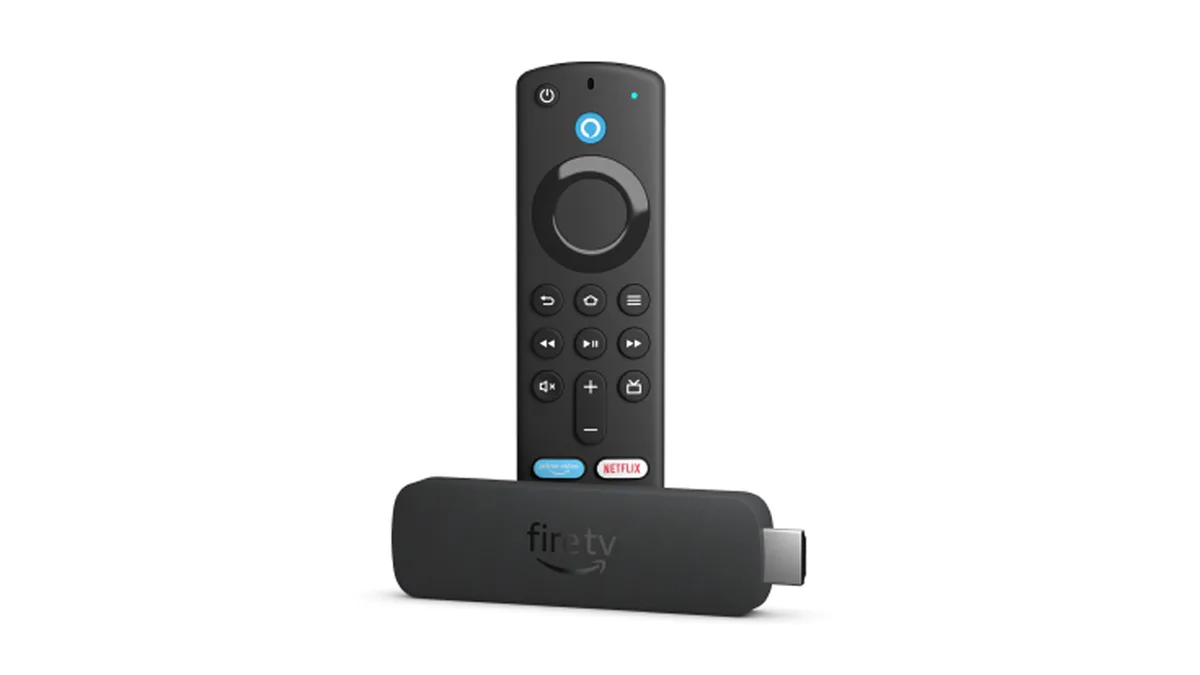
Image: Amazon, showing the Fire TV Stick 4K hardware later renamed 4K Plus. Manufacturer promotional image.
Key specs: Output: up to 4K; HDR: Dolby Vision, HDR10, HDR10+ and HLG; Wireless: dual-band Wi-Fi 6; Storage: 8GB; OS: Fire OS 8.
At $39.99, this verified new Amazon.com offer is $11.78 below the checked Roku Plus price. It is the lower-cost way into Dolby Vision and Wi-Fi 6 in this pair. Amazon’s exact 4K Plus device specification documents those features, 8GB storage and Fire OS 8. Its Alexa Voice Remote has TV power and volume controls for compatible sets. Those are good reasons to choose it if you prefer Fire TV or have Dolby Vision content and a matching television; they are not evidence that its picture or navigation beats Roku in our hands.
Amazon’s setup instructions explain the account step. Amazon account sign-in and Wi-Fi are required for setup; paid streaming subscriptions are separate.
The 4K Plus name comes from Amazon’s 2025 renaming of the earlier Fire TV Stick 4K hardware. A newer 2026 Fire TV Stick 4K now exists, so “Plus” is not a synonym for newest. The selected listing is the older 4K Plus generation with a current new purchase path. Skip it if you prefer Roku’s home screen, Roku Channel or Roku’s supported AirPlay/HomeKit route. Don’t buy it for Dolby Vision if your television lacks that format.
2. Roku Streaming Stick Plus (3830R)
Buy the Roku Streaming Stick Plus on Amazon ->
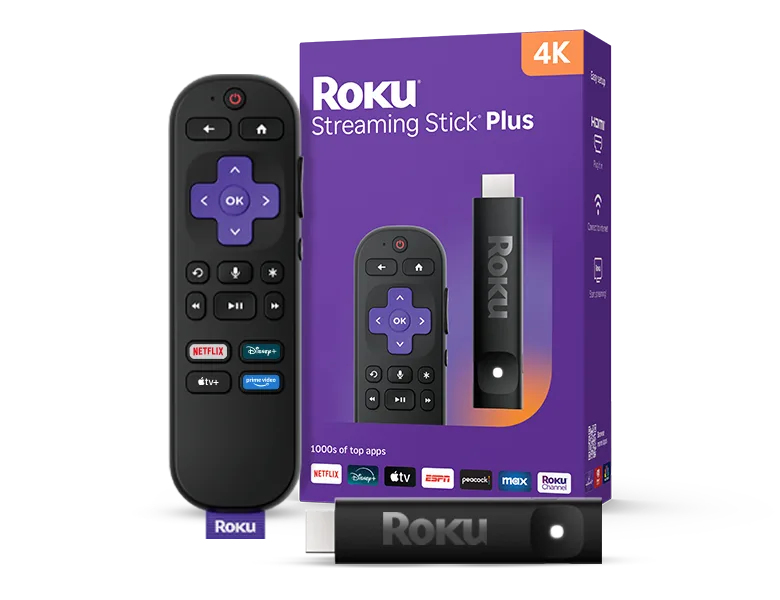
Image: Roku. Manufacturer product image.
Key specs: Output: up to 4K at 60fps; HDR: HDR10, HDR10+ and HLG; Wireless: dual-band 2.4/5GHz; Power: USB-C, with USB-C to USB-A cable included; Model: 3830R.
The $51.77 selected new offer is Roku’s Streaming Stick Plus, not the older Streaming Stick 4K or the separate 4K+ with a different remote. Roku’s platform, TV-powered installation and the included Roku Voice Remote are its distinguishing reasons to buy. Roku’s 3830R product details establish 4K HDR10/10+, USB-C power, a dual-band connection, AirPlay/HomeKit compatibility and the included voice remote with TV controls. Roku says the slim stick can run from a compatible TV USB port, avoiding a separate wall adapter in that setup. Its setup guidance notes that some TV USB ports do not supply enough power; a wall adapter may then be needed. Don’t assume it is in the selected box, whose official contents list only the cable.
Roku’s Stick Plus setup guide covers activation. Roku account, email verification and Wi-Fi are required for setup; some TV USB ports need a separate wall adapter.
The important limitation is Dolby Vision: Roku lists that format on its Streaming Stick 4K, not this Plus model. A Dolby Vision television will still display supported output from the Plus, but buying this model does not add Dolby Vision playback. Skip Roku Plus when that exact HDR format is a requirement, or when the Fire TV platform and its lower checked price better match the way you watch.
Which Route Makes Sense From Scratch?
First check the TV’s native apps. If they support all your services and still work well, a new stick may add little. If you need a player, confirm the HDMI input and 4K/HDCP requirements, the apps you pay for, the outlet or TV USB power available behind the screen, and whether Dolby Vision appears in your TV’s own specifications.
Choose Fire TV Stick 4K Plus for the verified lower price and documented Dolby Vision/Alexa route. Choose Roku Streaming Stick Plus for Roku’s platform, TV-powered design and Roku Voice Remote when HDR10+ is enough. A separate sound upgrade is a different decision: our soundbars under $300 guide covers that. If you are considering a projector rather than a TV, our portable projector guide is a separate screen decision. Neither purchase is necessary for a streaming stick.
FAQ
Does the Roku Streaming Stick Plus support Dolby Vision?
No. Roku lists HDR10/10+ and HLG for the 3830R Plus. Its separately named Streaming Stick 4K adds Dolby Vision. The names are close enough that the exact model matters when you shop.
Do I need a 4K TV to use either stick?
No. They can output HD to a compatible TV, but a 4K or HDR picture requires suitable content, app, television and connection. Roku specifies HDMI with HDCP 2.2 for protected 4K content. Buying a 4K player cannot change your screen’s physical resolution.
Does the price include streaming services?
No. Both players offer access to free and paid apps, but the hardware price does not cover separate service subscriptions. Verify the exact service and any plan or region restriction you care about before replacing a working player.
Is the Fire TV Stick 4K Plus the newest Fire TV stick?
No. Amazon launched another Fire TV Stick 4K in September 2026. The linked 4K Plus is the earlier Fire OS 8 model whose Dolby Vision and Wi-Fi 6 specifications are documented. Model names and generations should not be treated as interchangeable.
Bottom Line
For this Fire TV vs Roku pair, the decision turns on platform and the TV you own. The $39.99 Fire TV Stick 4K Plus offers Dolby Vision and Alexa controls at the lower checked price. The $51.77 Roku Streaming Stick Plus trades Dolby Vision for Roku’s software, remote and TV-powered setup. Check your television’s HDR and USB capabilities before paying for a feature it cannot use.
This article contains affiliate links. PicksLab may earn a small commission at no extra cost to you. Our recommendations are based on the review method described in this article.