Affiliate disclosure: PicksLab earns commissions on qualifying Amazon purchases, at no extra cost to you.
Ever had the lights flicker and watched your computer restart halfway through something you hadn’t saved? A UPS puts a battery between the wall and your equipment. A short interruption can pass without shutting everything off; a longer one gives you time to save your work and shut down properly.
What you need depends on what you’re keeping alive. A laptop already has a battery, so backing up the modem and router might solve your actual problem. A gaming desktop needs considerably more output. A home server needs something else as well: a way to shut itself down when you’re not there. Buying the biggest VA number doesn’t answer all three questions.
TL;DR - Our top pick: The CyberPower CP1500PFCLCD is our starting point for a desktop or gaming setup whose measured load fits its 1,000 W limit with room to spare. Its sine-wave battery output, voltage regulation and USB shutdown connection cover the important features. For just a modem and router, the cheaper ST425 may be enough.
Five Backups and Their Checked Prices
New US offers checked October 10, 2026, before tax. These are ordinary offers, not Prime-only discounts or used stock. Standard shipping was free to the checked location; availability and delivery vary by address. Products are ordered by checked price, not an assumption that more expensive is better.
| Product | Price checked | Useful role | Important limit |
|---|---|---|---|
| CyberPower ST425 | $59.95 | Small network setup beside a battery-powered laptop | 260 W; no USB shutdown connection |
| CyberPower CP1500PFCLCD | $239.95 | Work or gaming desktop | 1,000 W; six battery-backed outlets |
| Eaton 5S1500LCD | $272.06 | Office equipment with a confirmed USB shutdown setup | 900 W; check current OS support before buying |
| APC Back-UPS Pro BR1500MS2 | $299.99 | Desktop using APC’s Windows shutdown software | 900 W; PowerChute support differs by OS |
| Vertiv Liebert PSI5-1500MT120 | $665.95 | Higher-output workstation or small home-lab setup | 19.1-inch depth; network card costs extra |
Feature Comparison
The watt rating is an output ceiling, not stored battery energy or promised runtime. Stay within both the manufacturer’s watt and VA limits.
| Product | Rated output | Battery outlets / total | Regulation and battery waveform | Shutdown connection |
|---|---|---|---|---|
| ST425 | 425 VA / 260 W | 4 / 8 | Standby; simulated sine wave | None |
| CP1500PFCLCD | 1,500 VA / 1,000 W | 6 / 12 | AVR; sine wave | USB data, PowerPanel |
| 5S1500LCD | 1,500 VA / 900 W | 5 / 10 | AVR; don’t assume sine wave from the VA rating | USB HID, Eaton software |
| BR1500MS2 | 1,500 VA / 900 W | 6 / 10 | AVR; sine wave | USB data, PowerChute |
| PSI5-1500MT120 | 1,440 VA / 1,350 W at 120 V | 6 / 6 | AVR; sine wave | USB; optional network card |
AVR corrects certain input-voltage fluctuations without using the battery. It doesn’t make these units online, zero-transfer-time UPS systems. The Vertiv’s advertised 1500-class name also needs care: its manufacturer rates it at 1,440 VA at 120 V, with different ratings at other configured voltages.
Size It Around What You Actually Need to Save
Start by measuring the equipment under the heaviest workload you expect to protect. A PC with an 850 W power supply doesn’t necessarily consume 850 W; that label describes the supply’s capacity. Conversely, its idle reading doesn’t represent draw during a game, render or local AI job. Use a suitable power meter or reliable equipment measurements, including the monitor and network devices you intend to connect.
Suppose the PC draws 300 W during the relevant workload, the monitor 40 W, and the modem/router together 20 W. That’s 360 W on battery-backed outlets. The ST425 cannot supply it at all. The larger four have higher watt ceilings, but you still need to check VA, workload peaks and runtime at that load. Keeping a margin below the ceiling is sensible; it isn’t a substitute for those checks.
Eaton’s published runtime table illustrates why load matters: the 1500 VA LCD row lists approximately 16 minutes at 360 W, but seven at 600 W. Those are manufacturer estimates, not our test results or a guarantee for an aging battery. Use the runtime curve for the exact UPS, then leave enough time for your computer’s real shutdown procedure.
Put only the equipment needed to finish or stop safely on battery power. A second display, speakers and desk lighting consume time you might prefer to keep for the computer. Follow the UPS manual’s load restrictions; don’t connect heaters or laser printers to battery outlets. Plug the UPS directly into the appropriate grounded wall outlet, with ventilation clear, rather than building a chain of power strips.
For a home server, count storage and networking as part of the system. For a local AI desktop, size against the workload you actually run, not the CPU’s idle power. Neither needs to keep doing expensive work until the last second of battery life.
1. CyberPower ST425
Buy CyberPower ST425 on Amazon ->
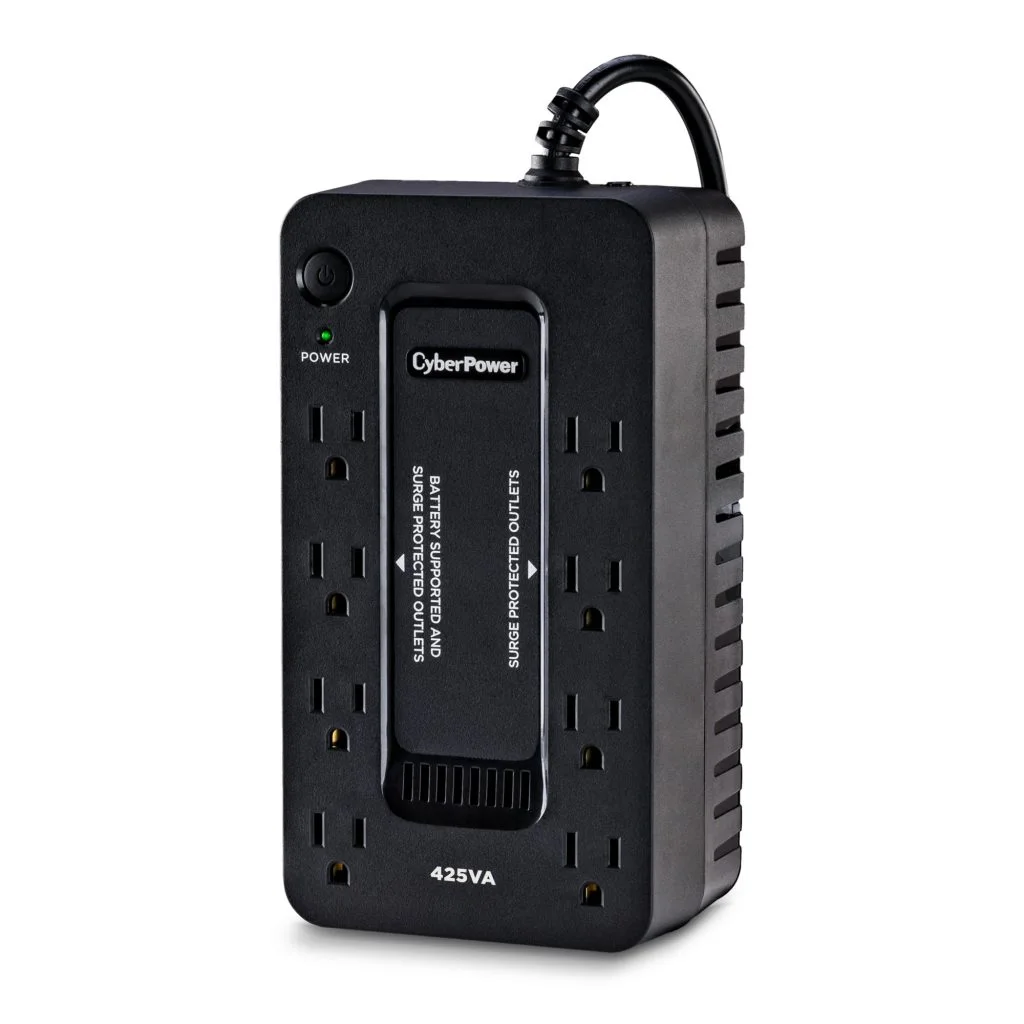 Image: CyberPower.
Price checked: $59.95 new, sold and shipped by Amazon.com; In Stock with Add to cart and Buy Now.
Key specs: Capacity: 425 VA / 260 W; Outlets: four battery-backed plus four surge-only; Battery waveform: simulated sine wave; USB shutdown: not supported.
The ST425 makes sense when your laptop has its own battery and the network gear is what needs help. It is a compact, relatively inexpensive way to cover a brief interruption without buying a large tower for a few small power adapters. Internet service still depends on equipment outside your home, so a powered router doesn’t guarantee a working connection during an area outage.
Its official specification lists neither USB HID communication nor a user-replaceable battery. There’s no management software to install because there’s no data connection for it. Skip it for an unattended desktop or NAS that needs an automatic shutdown signal. Also check adapter spacing: eight sockets do not mean eight battery-backed devices.
2. CyberPower CP1500PFCLCD
Buy CyberPower CP1500PFCLCD on Amazon ->
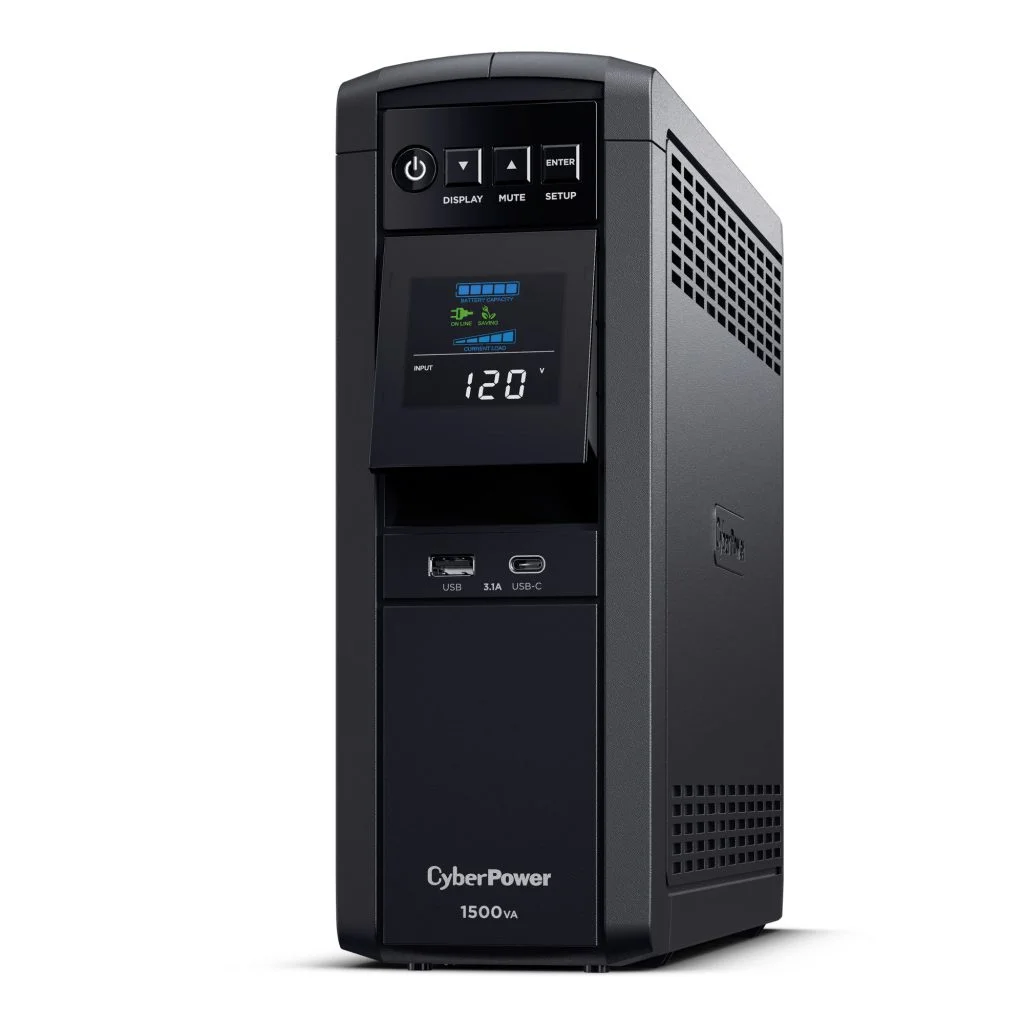 Image: CyberPower.
Price checked: $239.95 new, sold and shipped by Fast and Precise by Staples; In Stock with Add to cart and Buy Now.
Key specs: Capacity: 1,500 VA / 1,000 W; Outlets: six battery-backed plus six surge-only; Battery waveform: sine wave; Regulation: AVR; Communication: USB HID.
The CP1500PFCLCD covers the features we’d want for a modern desktop without the Vertiv’s price. Sine-wave output and the manufacturer’s active-PFC compatibility positioning make it the more straightforward starting point for a gaming PC than an inexpensive simulated-wave unit. The color display shows load and estimated runtime, rather than leaving you to guess how much of the backup you’re using.
Check the exact label and outlet layout: the current specification is the 1,000 W, 12-outlet version. Six outlets have battery backup. Skip it if your protected load approaches 1,000 W or you need long-outage operation. A higher output limit doesn’t make this a whole-evening power source.
Use CyberPower PowerPanel Business for monitoring and shutdown. Connect the USB data port, then choose the package and supported OS version for the attached computer. CyberPower offers Windows, macOS and Linux software; that doesn’t establish compatibility with every NAS or hypervisor. The front USB charging ports serve a different purpose from the communication connection.
3. Eaton 5S1500LCD
Buy Eaton 5S1500LCD on Amazon ->
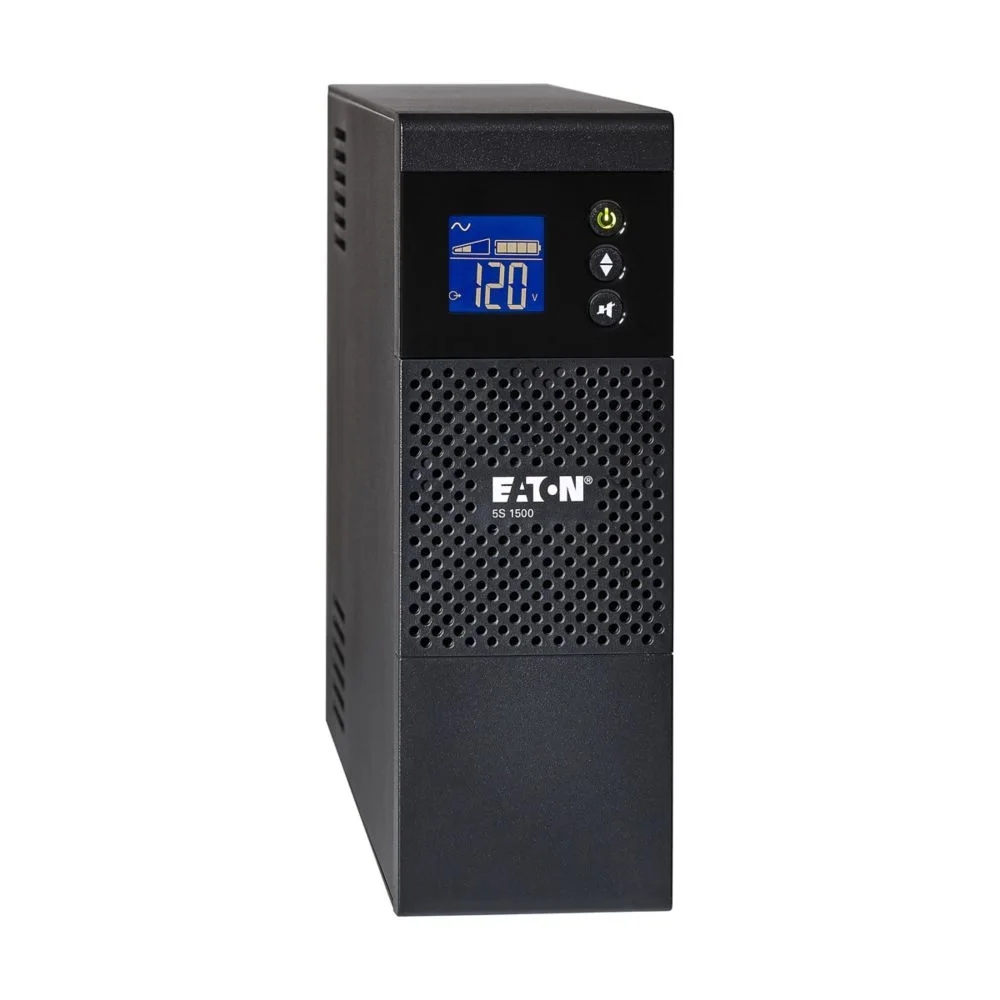 Image: Eaton.
Price checked: $272.06 new, sold and shipped by NeutronUSA; In Stock with Add to cart and Buy Now.
Key specs: Capacity: 1,500 VA / 900 W; Outlets: ten NEMA 5-15R; Communication: USB HID; Battery service: user-replaceable; Depth: 15 inches.
The Eaton is worth considering for an office setup with an already-confirmed shutdown arrangement. Its narrow tower, replaceable batteries and USB connection are useful features, and the manufacturer provides a detailed load-versus-runtime table. The US model page and manual distinguish backed-up outlets from surge-only connections and explain EcoControl behavior.
At the checked prices, this isn’t the obvious bargain beside the CyberPower. Skip it if you want an uncomplicated, manufacturer-documented sine-wave gaming recommendation or haven’t confirmed shutdown support for your OS. The linked current US specification doesn’t establish a sine-wave output guarantee; don’t substitute a specification from another Eaton series or voltage variant.
Eaton UPS Companion provides shutdown settings for the 5S. Confirm a currently supported installer for your OS before purchase; the US page’s published compatibility list is older and is not proof of Windows 11 support. USB HID can work with compatible OS or NAS facilities, but check that platform’s device list rather than assuming the Eaton app runs on it.
4. APC Back-UPS Pro BR1500MS2
Buy APC Back-UPS Pro BR1500MS2 on Amazon ->
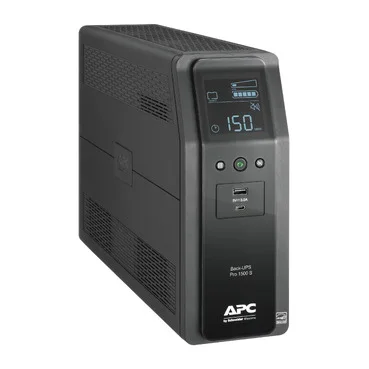 Image: APC / Schneider Electric.
Price checked: $299.99 new, sold and shipped by Amazon.com; In Stock with Add to cart and Buy Now.
Key specs: Capacity: 1,500 VA / 900 W; Outlets: six battery-backed plus four surge-only; Battery waveform: sine wave; Regulation: AVR; Charging: USB-A and USB-C.
The APC suits someone who wants sine-wave backup with APC’s Windows shutdown software. It combines voltage regulation, a status screen and a serviceable battery, rather than making you replace the tower when the battery wears out. The BR1500MS2 data sheet is the reference for this exact model; don’t order replacement parts using a similar Back-UPS name.
The important limitation is software support, not whether there’s a USB socket on the front. PowerChute Serial Shutdown is APC’s current route. Connect the supplied communication cable to a supported Windows computer; the front charging ports do not provide the shutdown signal. APC explicitly says PowerChute Serial Shutdown does not support Back-UPS models on Linux, and its guide directs Mac users to native power management rather than PowerChute.
Skip it if your purchase depends on running APC’s PowerChute software on a Linux home server. A NAS or other OS may have compatible USB UPS support, but that is a separate check. At this price the CyberPower also has a higher watt ceiling, so APC’s ecosystem needs to be useful to you rather than just familiar.
5. Vertiv Liebert PSI5-1500MT120
Buy Vertiv Liebert PSI5-1500MT120 on Amazon ->
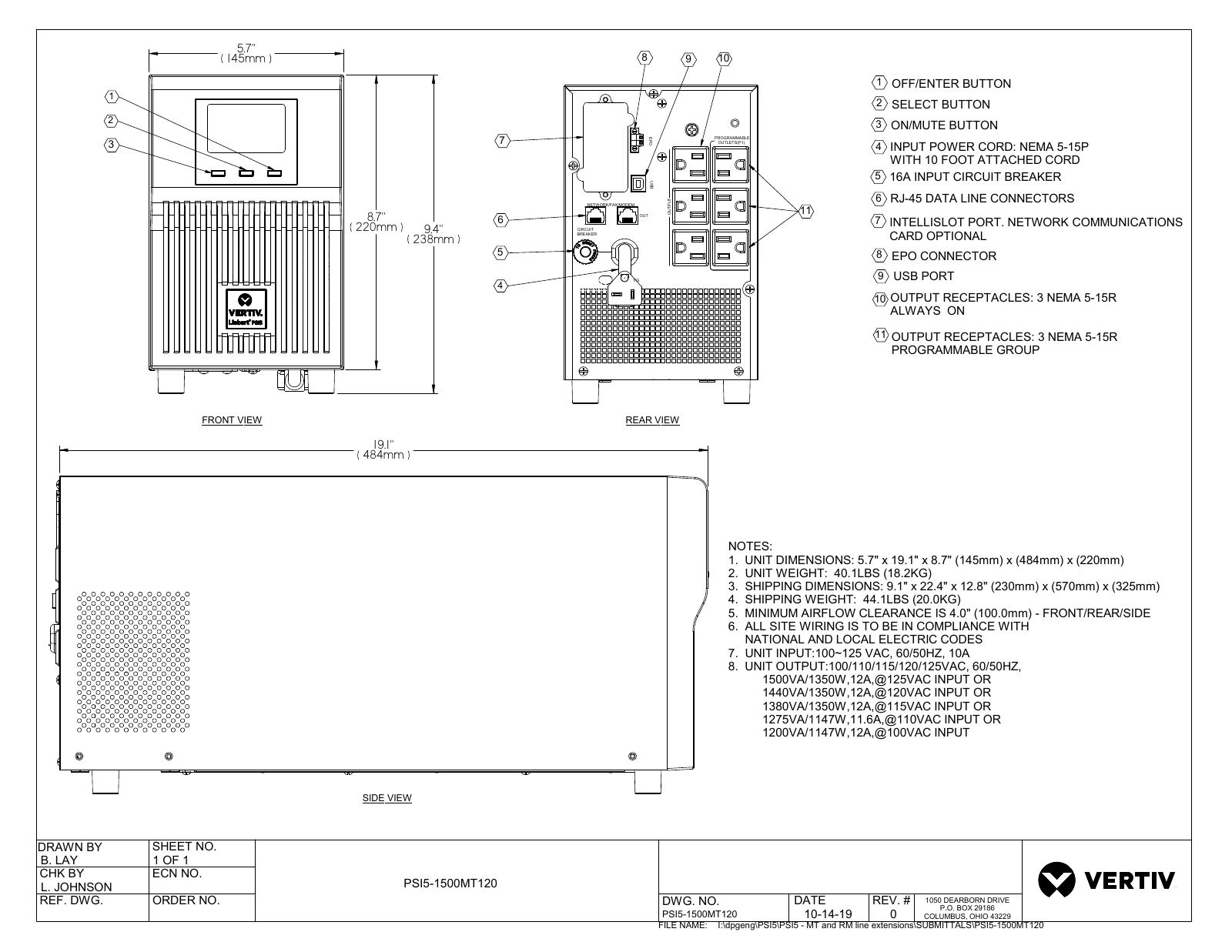 Manufacturer drawing: Vertiv, exact PSI5-1500MT120 dimensions and connections. Open the drawing for readable connection labels.
Price checked: $665.95 new, sold and shipped by 1 Stop Computer Shop, Inc.; two units shown in stock with Add to cart and Buy Now. Other offers weren’t used as the price snapshot.
Key specs: Capacity at 120 V: 1,440 VA / 1,350 W; Outlets: six NEMA 5-15R; Battery waveform: sine wave; Depth: 19.1 inches; Outlet control: three programmable outlets.
The Vertiv is the specialist choice for a workstation or small home lab that needs more output headroom. Its 1,350 W rating is meaningfully different from a 900 W consumer tower, and programmable outlets let you prioritize loads. The exact-model specification also supports an optional network-management card. That card is an extra purchase, not included remote management to assume from the name.
The tradeoff is substantial cost and physical depth. Measure under the desk, allow the ventilation space in the drawing, and check runtime at your measured load. Skip it for an ordinary desktop already comfortably covered by the CyberPower or APC. Extra output capacity only helps when you need it; it doesn’t prove longer runtime at every load.
For a directly attached computer, Vertiv Power Assist handles monitoring and graceful shutdown. Use the USB communication connection and check the current release notes for your Windows, macOS or Linux version. Multi-host shutdown and optional-card networking need their own configuration; buying the hardware doesn’t establish a working shutdown sequence.
Automatic Shutdown Is Part of the Purchase
A battery-backed power cord doesn’t tell a server to stop. Connect the UPS data cable, install or enable supported management software, and confirm that it sees the correct device. Set a shutdown policy that leaves enough time for applications, virtual machines and storage to stop cleanly. A NAS uses its own UPS settings and supported-device list; our two-bay NAS guide covers the storage side of that decision.
After installation and the manufacturer’s charging period, follow its test procedure with nonessential work saved. Verify that the computer detects the battery state and the configured shutdown occurs. A successful self-test doesn’t prove that your OS, USB connection and shutdown settings all work together. Don’t discover that missing step during the first real outage.
Plan battery service as well. Capacity declines with age and conditions, so yesterday’s runtime estimate isn’t permanent. Use the exact model’s approved replacement procedure and battery; the ST425 specifically lacks a user-replaceable battery. A UPS also doesn’t replace backups of your files.
Who Should Buy What
- Laptop plus modest network equipment: ST425, after checking load and required runtime.
- Desktop or gaming load comfortably below its limits: CP1500PFCLCD, our starting recommendation.
- Office equipment with a verified Eaton shutdown setup: 5S1500LCD, not a blind OS-compatibility assumption.
- Supported Windows PC using APC software: BR1500MS2.
- Higher-output workstation or deliberately configured home lab: PSI5-1500MT120, when capacity and controls justify the cost.
FAQ
How long will a UPS keep my PC running?
Use the exact model’s runtime chart at the total load you intend to protect. VA and maximum watts don’t tell you how much energy the battery stores. Battery age, temperature and workload affect the result. Size for the time you need to save and shut down, with a margin, rather than assuming every 1500-class UPS supplies the same number of minutes.
Does an active-PFC gaming power supply require a sine-wave UPS?
Check the power-supply manufacturer’s requirements. A sine-wave UPS is the more conservative starting point for an active-PFC desktop, but an efficiency badge alone doesn’t establish a universal compatibility rule. Output capacity, transfer behavior and the actual PSU matter. We favor the documented sine-wave choices here for gaming systems rather than promising every combination works.
Can a UPS keep my internet working during an outage?
It can keep compatible local equipment powered if load and runtime fit. That may include the modem, router and a fiber ONT, depending on your setup. Your provider’s upstream equipment still has to function. A laptop-and-router plan is useful for short local interruptions, not a guarantee of internet service through a neighborhood-wide outage.
Is a portable power station a better choice?
A power station may offer more energy for long outages, but it isn’t automatically a drop-in UPS. Check its documented transfer behavior, supported loads, continuous-use instructions and communication/shutdown capabilities. If protecting an unattended PC is the goal, a correctly configured UPS solves a different problem from simply having a larger battery available.
The same distinction matters for home alerts. A UPS can keep a compatible sensor hub and router powered, but our smart water leak detector guide explains why local alarms and away-from-home notifications need separate checks.
Bottom Line
For most desktop buyers in this group, we’d start with the CP1500PFCLCD, then check actual load and runtime before ordering. Spend less if you only need network gear, or more because your measured workload needs extra output. Most importantly, finish the setup: a tested shutdown connection is more useful than an impressive capacity label on a box under the desk.
This article contains affiliate links. PicksLab may earn a small commission at no extra cost to you. Our recommendations are based on the review method described in this article.