Affiliate disclosure: PicksLab earns commissions on qualifying Amazon purchases, at no extra cost to you.
Trying to record two people around one laptop microphone usually means one voice is too quiet, the other is too loud, and the room gets a vote in every sentence. An XLR setup lets each person have a microphone in the right place, with their own recording level. It also lets you replace the mic, interface or mixer separately as the show changes.
The catch is that most XLR microphones are only one part of the purchase. They need a cable, something to hold them near your mouth, and an interface or recorder to get the sound into a file. A cheap mic becomes less cheap when you discover that none of those things came in the box.
TL;DR - Our top pick: The RODE PodMic is a sensible starting point for a fixed podcast desk that already has an XLR interface and a sturdy mount. Starting from nothing? The Samson Q2U pack includes more of the small essentials and can record over USB before you buy an interface.
Prices and What You Still Need
Prices checked October 14, 2026, for new US Amazon offers, ordered lowest first. These are ordinary prices without Prime-only deals or coupons, before tax. The offers displayed free delivery to the location checked; check the seller, delivery cost and exact package again at checkout. This is a microphone-price comparison, not a claim that the entire recording setup costs this amount.
| Product | Price checked October 14, 2026 | Useful distinction | What to budget for |
|---|---|---|---|
| Samson Q2U recording pack | $79.99 | USB now, XLR later; desktop tripod and cables included | Headphones; a better-positioned stand if the small tripod sits too low |
| RODE PodMic, original XLR | $86.00 | Integrated yoke and internal pop filtering | XLR cable, load-rated stand/arm, interface or mixer |
| Audio-Technica AT2040, XLR | $109.00 | Hypercardioid pattern and integrated shock mounting | XLR cable, stand/arm, interface or mixer |
| Shure SM58-LC | $109.00 | Handheld format that also works on a stand | XLR cable, interface/recorder, stand for hands-free use |
| Shure MV7X | $199.00 | Adjustable yoke and foam windscreen for a fixed voice position | XLR cable, stand/arm, interface or mixer |
Amazon.com was the selected seller for all except the Q2U, sold by Sustained Modulation and shipped by Amazon. These are exact variants: the PodMic is not PodMic USB, the AT2040 is not AT2040USB, and the MV7X is not the USB-equipped MV7 family.
Features That Change the Setup
| Product | Capsule / pickup pattern | Direct USB recording | Headphone monitoring on the mic | Mounting and placement |
|---|---|---|---|---|
| Samson Q2U | Dynamic / cardioid | Yes; can also output XLR | 3.5 mm output in USB operation | Included desktop tripod and mic clip; check cable revision |
| RODE PodMic | Dynamic / cardioid | No | No | Integrated yoke; 937 g mic needs a suitably rated mount |
| Audio-Technica AT2040 | Dynamic / hypercardioid | No | No | Included mounting clamp; small rear pickup lobe matters |
| Shure SM58-LC | Dynamic / cardioid | No | No | Handheld body; stand adapter included, cable excluded |
| Shure MV7X | Dynamic / cardioid | No | No | Adjustable yoke; 5/8-inch threaded mounting connection |
1. Samson Q2U Recording Pack
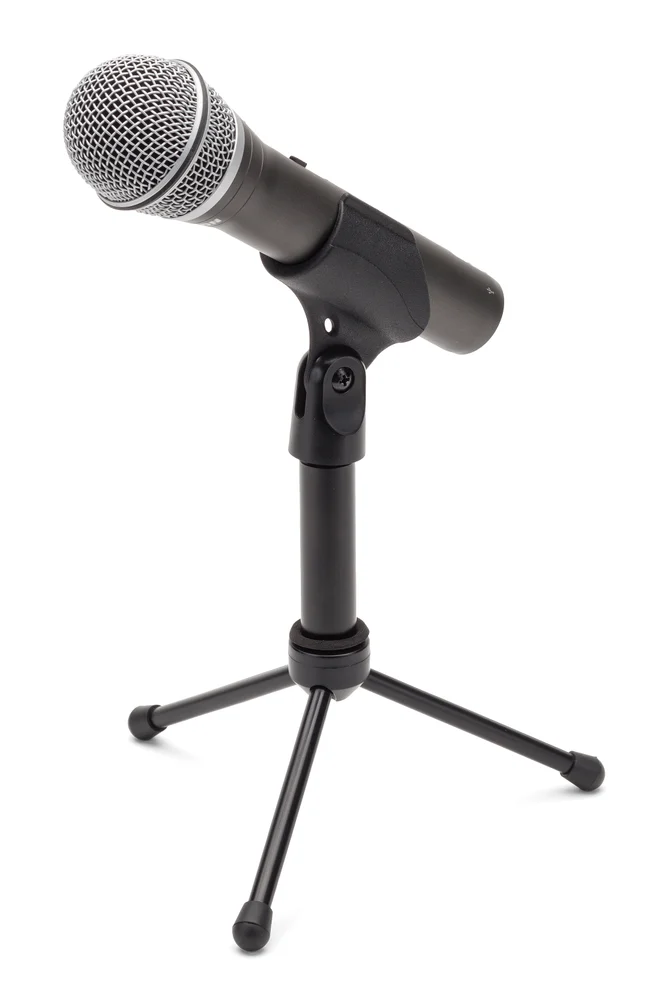 Image: Samson.
Price checked: $79.99, new, October 14, 2026.
Key specs: Capsule: dynamic; Pickup pattern: cardioid; Outputs: USB and XLR; Monitoring: 3.5 mm headphone output in USB operation; Pack: tripod, clip, windscreen, USB cable and XLR cable.
The Q2U is the easiest starting point here when you don’t already own recording hardware. Connect it over USB, select it in your recording application, and listen through the mic’s headphone socket. Direct monitoring lets you hear the microphone without waiting for the computer to play it back. Later, its XLR output lets the same mic join a multi-person mixer setup.
Samson’s product documentation lists simultaneous USB and XLR output, an on/off switch and the bundled desktop accessories. That is a more complete starting package than an XLR-only mic with no cable or stand. No vendor configuration app is required for basic USB recording; select the input and output in your operating system and recording software.
Check the exact package’s USB connector and supplied cable before buying extra leads: current and older Q2U documentation show different connector revisions. The small stand is also not a guarantee of good placement. If it leaves the mic below your chest while you sit upright, raise or replace it rather than leaning down throughout an interview. Skip it if you specifically want a heavier, permanently mounted broadcast-style mic and already own the supporting gear.
2. RODE PodMic
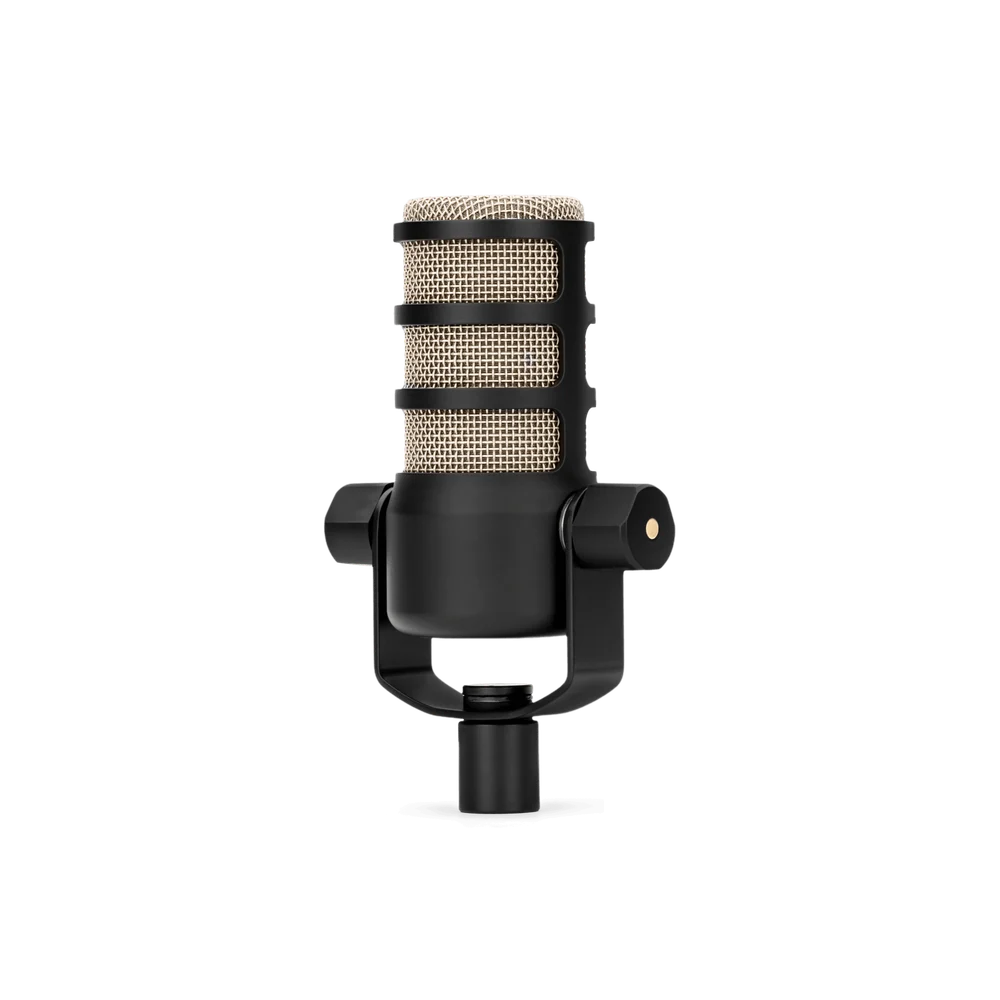 Image: RODE.
Price checked: $86.00, new, October 14, 2026.
Key specs: Capsule: dynamic; Pickup pattern: cardioid; Output: XLR only; Weight: 937 g; Mounting: integrated swing mount; Filtering: internal pop filter.
The original PodMic suits a fixed desk where you want a mic that can stay close and at a repeatable angle. Its yoke lets you adjust that angle without turning the whole stand. The internal pop filter helps manage bursts of air from speech, although placement still matters and an external screen may be useful for your voice and distance.
Weight is the practical catch. At 937 g before adding cable load or another accessory, this is not a mic to put on an arm chosen only because it looks like the one in a studio photo. Check the mount’s supported load and whether it can hold the mic where you need it. The manufacturer specifications identify the original model’s XLR connection and physical construction; PodMic USB is a separate product.
There is no software to install on this analog mic and no headphone socket. Your interface or mixer supplies gain and monitoring, so its controls are part of the experience. Skip it if you want to plug directly into a laptop or are trying to avoid buying a substantial stand. Its low microphone price isn’t a complete USB recording system.
3. Audio-Technica AT2040
Buy Audio-Technica AT2040 on Amazon ->
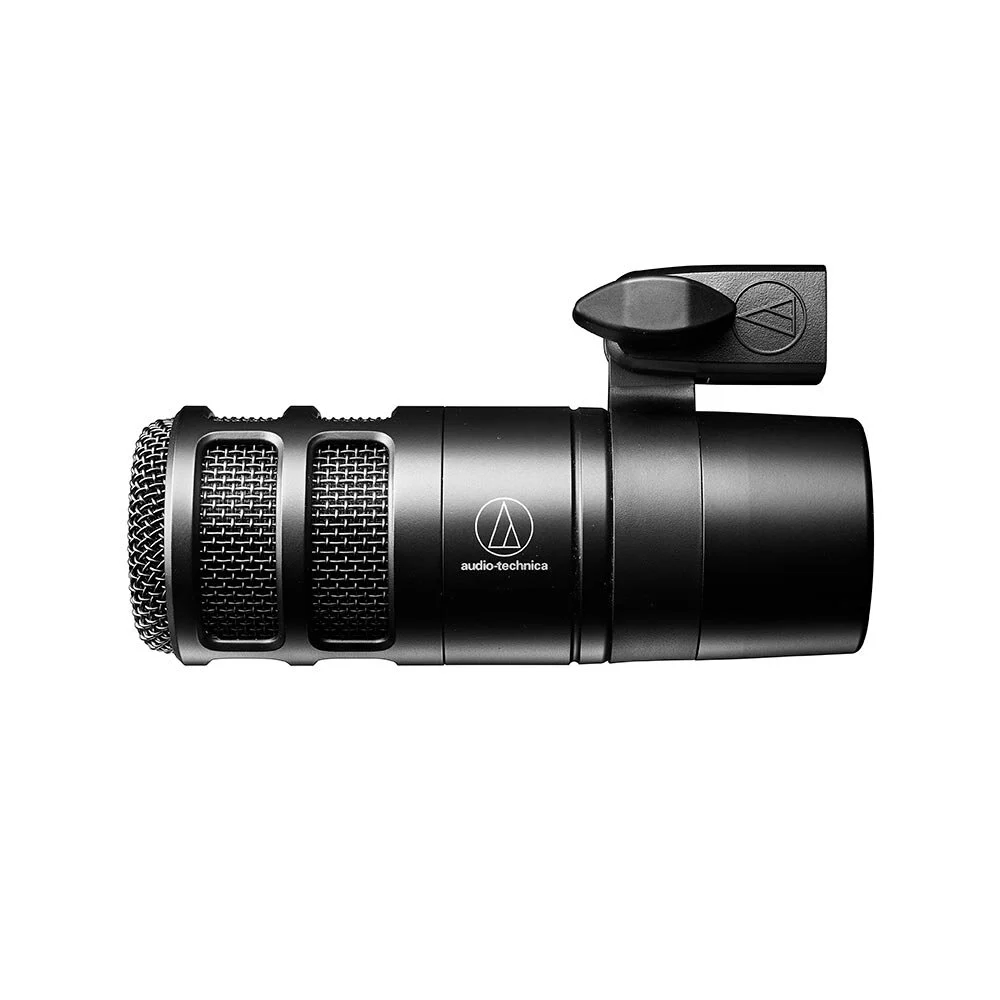 Image: Audio-Technica.
Price checked: $109.00, new, October 14, 2026.
Key specs: Capsule: dynamic; Pickup pattern: hypercardioid; Output: three-pin XLR; Weight: 615 g; Included mount: AT8487 clamp and thread adapter.
The AT2040 offers a different pickup pattern for a desk where you can control microphone placement. Hypercardioid is more directional in some directions than cardioid, but it also has a small pickup lobe behind the microphone. That is why “point the back at the noisy computer” is not a universal instruction for every mic in this list.
Audio-Technica’s AT2040 manual and polar diagram are more useful than a vague noise-rejection promise. The mic includes an integrated shock mount and internal windscreen system; these address mechanical vibration and breath, not all sound elsewhere in the room. Place the mic, record, move the noise source if possible, and compare the actual result.
This is the analog XLR model, with no USB connection, headphone socket or configuration app. You still need a cable and recording input, and the included clamp attaches to a stand rather than replacing one. Skip it if you want a pickup pattern you can use casually without thinking about what is behind the microphone, or need direct laptop recording.
4. Shure SM58-LC
Buy Shure SM58-LC on Amazon ->
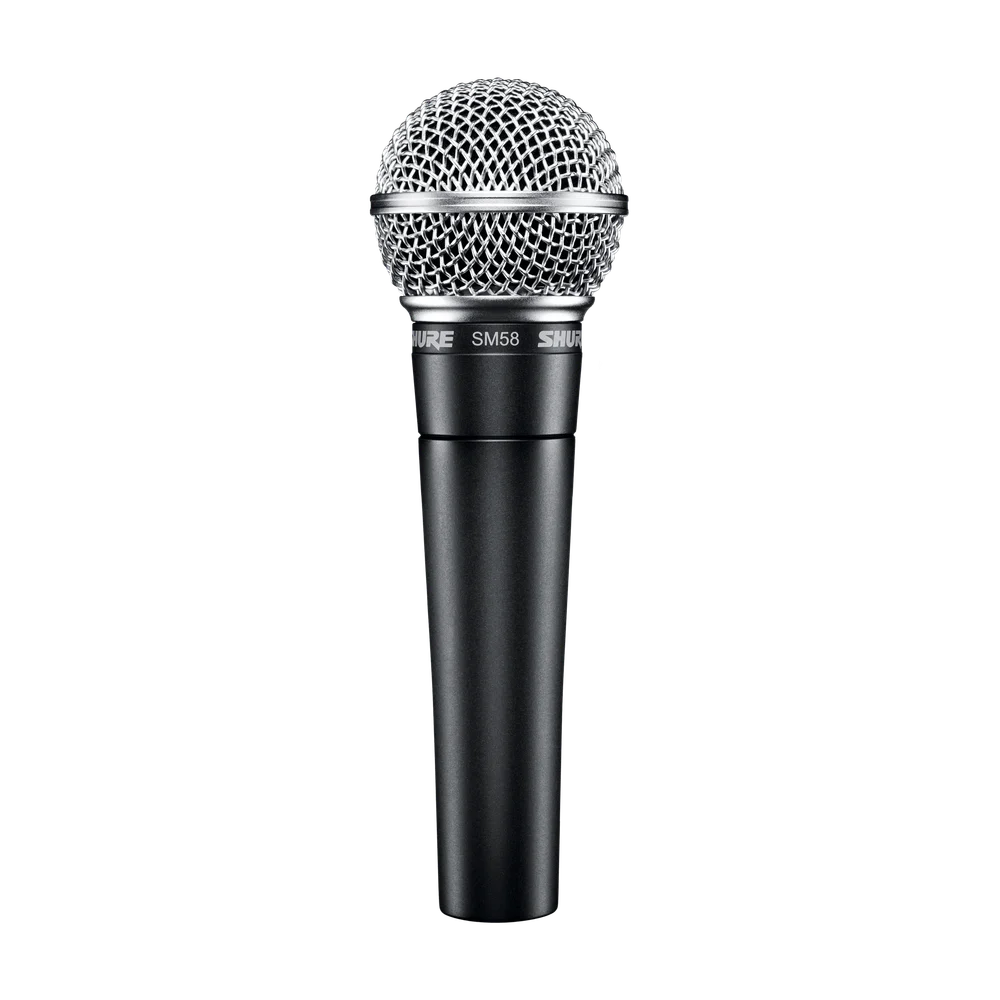 Image: Shure.
Price checked: $109.00, new, October 14, 2026.
Key specs: Capsule: dynamic; Pickup pattern: cardioid; Output: XLR; Included accessories: stand adapter and zippered pouch; LC package: no XLR cable.
The SM58-LC is the practical choice when the microphone won’t spend its whole life over a desk. Its handheld shape makes sense for an interview away from home, while the supplied adapter lets it move onto a stand for a regular show. You don’t need a product with “podcast” printed on the box to record speech.
The package suffix matters. Shure’s SM58 specification sheet distinguishes LC, which includes the adapter and pouch, from the cable-equipped CN package. Buy a suitable XLR cable separately for this listing. The built-in spherical filter and internal shock mounting are useful construction features, not permission to tap the handle or pass it between people while they speak.
It has no USB electronics, app or built-in headphone monitoring. Connect it to an interface, mixer or portable recorder and listen there. Skip it if you want an integrated boom-arm yoke and a desk-focused form factor; the PodMic or MV7X is a more direct fit for that arrangement.
5. Shure MV7X
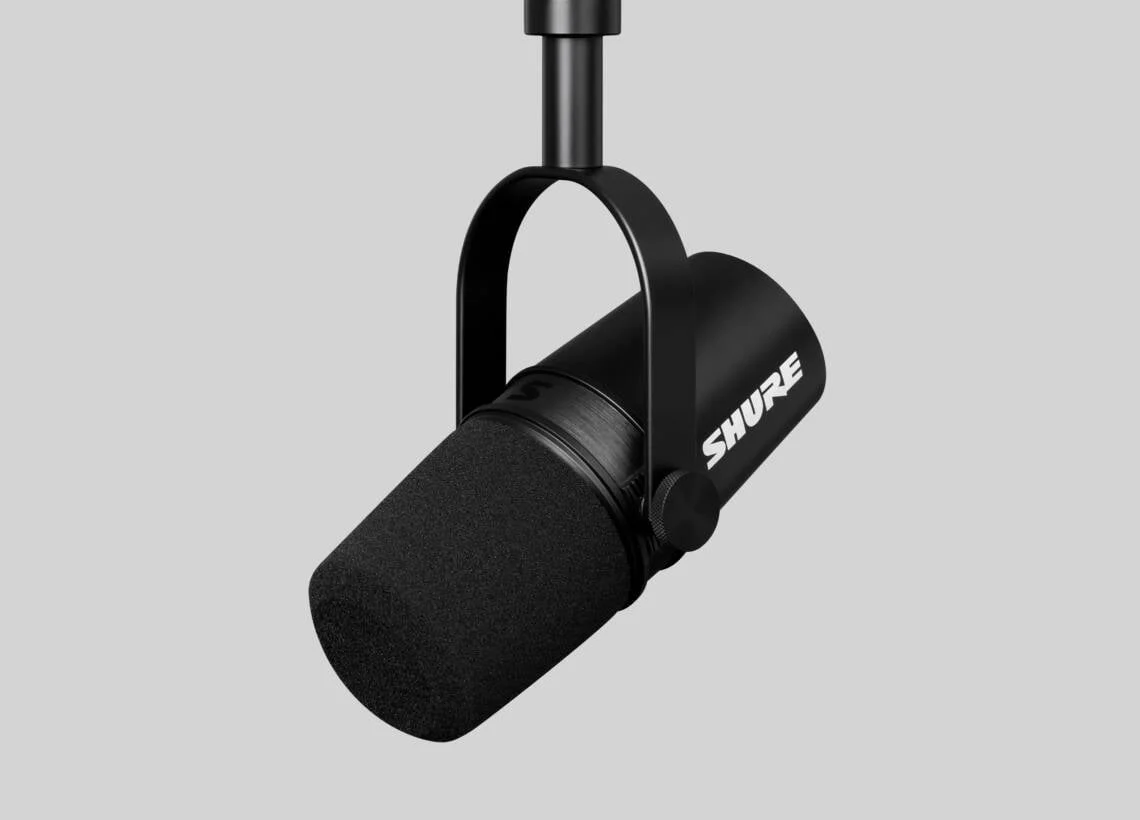 Image: Shure. Mounting arm shown is not included in this microphone-only offer.
Price checked: $199.00, new, October 14, 2026.
Key specs: Capsule: dynamic moving coil; Pickup pattern: cardioid; Output: passive XLR; Mount: adjustable yoke with 5/8-inch thread; Windscreen: removable foam.
The MV7X is for a fixed spoken-word setup where an adjustable yoke and foam windscreen fit the way you work. It can sit above or below your mouth on a suitable mount, letting you keep the screen visible while maintaining a repeatable speaking position. Shure’s MV7X guide documents the mounting and passive output.
The X is important: this is not a USB microphone with software voice processing. There is no automatic level control in the microphone, no app to rescue a poor recording, and no onboard headphone output. Its price pays for this particular microphone and mounting design, not a complete recording system. Set the gain and listen through your interface or mixer.
We would not spend the difference over the PodMic expecting a guaranteed improvement on every voice. Room, distance and delivery still affect the recording. Skip it if buying it would leave you with no budget for a stable mount and adequate recording hardware, or if you were expecting the USB features of another MV7 model.
Build the Whole Recording Chain
Before ordering, put a check beside every part of the signal path: mouth -> microphone -> cable -> recording input -> recording file, plus a headphone path for listening. That is the purchase checklist; the mic alone is not the setup.
- One person, no existing gear: Q2U over USB is the shortest route here. Its included cable and tripod get you started, but check placement and listen on headphones before adding filters.
- One person with an interface: Check that it has a microphone input, not just an instrument socket. Add the chosen mic, an XLR cable and a stand that reaches your mouth without blocking your work.
- Two or more people in the room: Give each speaker a mic input and a track. Our podcast mixer comparison separates actual microphone seats from advertised channel counts, including headphone connections.
- Travel interviews: Count the recorder, batteries or power supply, cables, headphones and transport protection. A handheld mic is convenient, but someone still has to hold it at a consistent distance.
Don’t automatically add an inline gain booster to the cart. The needed gain depends on the microphone, your speaking level, distance and preamp. Try the intended setup first. A booster can change the gain arrangement; it doesn’t remove traffic, reflections or another person speaking nearby. For smaller computer-based setups, see our audio-interface guide; for a direct connection, see the USB microphone alternatives.
A Dynamic Mic Doesn’t Make the Room Disappear
A dynamic capsule isn’t a noise-cancellation system. Turning up a low-output mic also turns up the room sound it captured. The useful advantage of a close speaking position is the relationship between your voice and more distant sound, not the word “dynamic” on the box.
Shure’s recording microphone techniques guide explains how placement and directionality affect the balance of direct and reflected sound. Start close enough that normal speech is clear, slightly off the direct blast of breath, then listen. Keep the same distance while talking. Move away from a bare corner or noisy fan where you can; don’t expect equalization to erase an echoing room.
For a useful check, record the same short passage twice at matched playback volume: once at your normal position and once closer to the mic. Include a pause, a few words with strong P sounds and a normal hand movement on the desk. Listen for room echo, breath bursts, stand vibration and background noise separately. They are different problems and may need different fixes.
Who Should Buy What
- Starting with a laptop and no interface: Samson Q2U.
- Fixed XLR desk with a strong mount: RODE PodMic.
- A setup where you can position a hypercardioid mic deliberately: AT2040.
- Desk recordings plus handheld interviews: SM58-LC.
- A yoke-mounted Shure mic without USB features: MV7X.
FAQ
Do these microphones need phantom power?
Their passive dynamic XLR connections don’t need 48V phantom power. The Q2U’s USB electronics and headphone monitoring use USB power. A separate active inline booster may have its own power requirement; follow that device’s instructions rather than treating phantom power as a quality setting.
Can I connect an XLR mic with a simple USB cable?
An analog XLR signal needs a microphone preamp and analog-to-digital conversion before a computer can record it. A proper interface provides those functions. A connector-shaped cable by itself doesn’t. The Q2U includes its own USB recording electronics, which is why it can work without a separate interface.
Will a more expensive mic remove keyboard or fan noise?
Not automatically. Pickup pattern, distance and the direction of the noise matter. Put the microphone near your voice, move or reduce the noise source when possible, and listen at realistic playback volume. Software filtering may help particular noises, but can also change speech and isn’t built into these passive XLR models.
Is the SM7B a necessary upgrade for a serious podcast?
No. A repeatable mic position, suitable recording input and intelligible conversation matter more than copying another show’s equipment. A different mic may suit your voice or workflow, but that calls for a comparison in your setup, not an assumption that a more expensive model makes the show professional.
Bottom Line
The PodMic is a practical desk purchase when the rest of the XLR chain is ready. The Q2U is the easier first purchase when it isn’t. Before spending more, make sure the microphone can reach your mouth, you can hear what it captures, and every person will have their own recording input.
This article contains affiliate links. PicksLab may earn a small commission at no extra cost to you. Our recommendations are based on the review method described in this article.