Affiliate disclosure: PicksLab earns commissions on qualifying Amazon purchases, at no extra cost to you.
Do people keep asking you to repeat yourself on calls, even though your internet connection is fine? A separate microphone can bring your voice closer and give you control that a laptop’s built-in mic doesn’t. The useful upgrade isn’t a higher number on the box. It’s being able to position the mic properly, mute it without hunting through a window, and hear what you’re recording.
TL;DR - Our top pick: The FIFINE AM8 puts headphone monitoring, gain control and a mute button into a $48.44 USB setup, with XLR available later. For straightforward calls without monitoring, the smaller HyperX SoloCast 2 is a simpler alternative.
Recording several people in the same room is a different problem from improving one person’s calls. Our podcast mixer comparison covers separate microphone inputs, headphone connections and recording tracks for each speaker.
Prices and Practical Differences
Ordinary new-offer prices checked October 13, 2026, before tax. These aren’t Prime-only prices. All five had an active purchase button. Standard delivery was free except the K669B, whose free shipping required Prime or a qualifying $35 order; check its delivered total.
| Product | Price checked October 13, 2026 | What you get for the money | Main compromise |
|---|---|---|---|
| FIFINE K669B, black | $28.04 | Basic USB recording and a physical gain knob | No dedicated mute button or headphone jack |
| HyperX SoloCast 2, black | $44.98 | Tap mute, internal pop filter and shock mount | No direct headphone monitoring |
| FIFINE AM8, black | $48.44 | USB monitoring and controls, plus XLR | USB controls don’t carry over to XLR |
| Razer Seiren V3 Mini, black | $59.00 | Small tilting mic with tap mute | No headphone jack; positioning still matters |
| Samson Q2U recording pack | $79.99 | USB/XLR mic with monitoring and useful accessories | Larger handheld-style body |
Feature Comparison
Direct monitoring means hearing your microphone through its own headphone socket, without waiting for sound to travel through recording software. It helps you notice an off-axis voice or a distracting room sound while recording, not afterward.
| Product | Capsule and pickup | Direct monitoring | Hardware controls | Future interface connection |
|---|---|---|---|---|
| K669B | Condenser, cardioid | No | Gain knob | USB only |
| SoloCast 2 | Condenser, cardioid | No | Tap mute | USB only |
| AM8 | Dynamic, cardioid | Yes, USB mode | Gain, headphone level, mute, lighting | XLR |
| Seiren V3 Mini | Condenser, supercardioid | No | Tap mute | USB only |
| Q2U | Dynamic, cardioid | Yes, powered over USB | Output on/off, headphone level | XLR |
Before You Buy: Where Will the Mic Go?
A microphone beside the monitor may be convenient, but it’s also farther from your mouth and closer to keyboard noise than you intended. Before spending money, put an object where the microphone would sit. Can you speak toward it without leaning? Will it block the screen? Does your keyboard bump its stand?
The AM8 and Q2U are end-address microphones: speak toward the grille at the end. The small desktop condensers are side-address designs: aim your voice at their intended front, not down into the top. FIFINE’s placement guide recommends roughly five inches for the AM8. Its K669B instructions suggest six to twelve inches. Start with the manufacturer’s distance, then make a short recording at normal speaking volume.
Listen with headphones for room echo, keyboard sounds and distorted loud words. Move the mic before reaching for aggressive noise filtering. A dynamic capsule isn’t a soundproofing feature, and a 96 kHz setting doesn’t cure a reflective room. If a close position needs an arm, include that cost in the budget. A headset may still be the better answer if you move around during calls.
1. FIFINE AM8
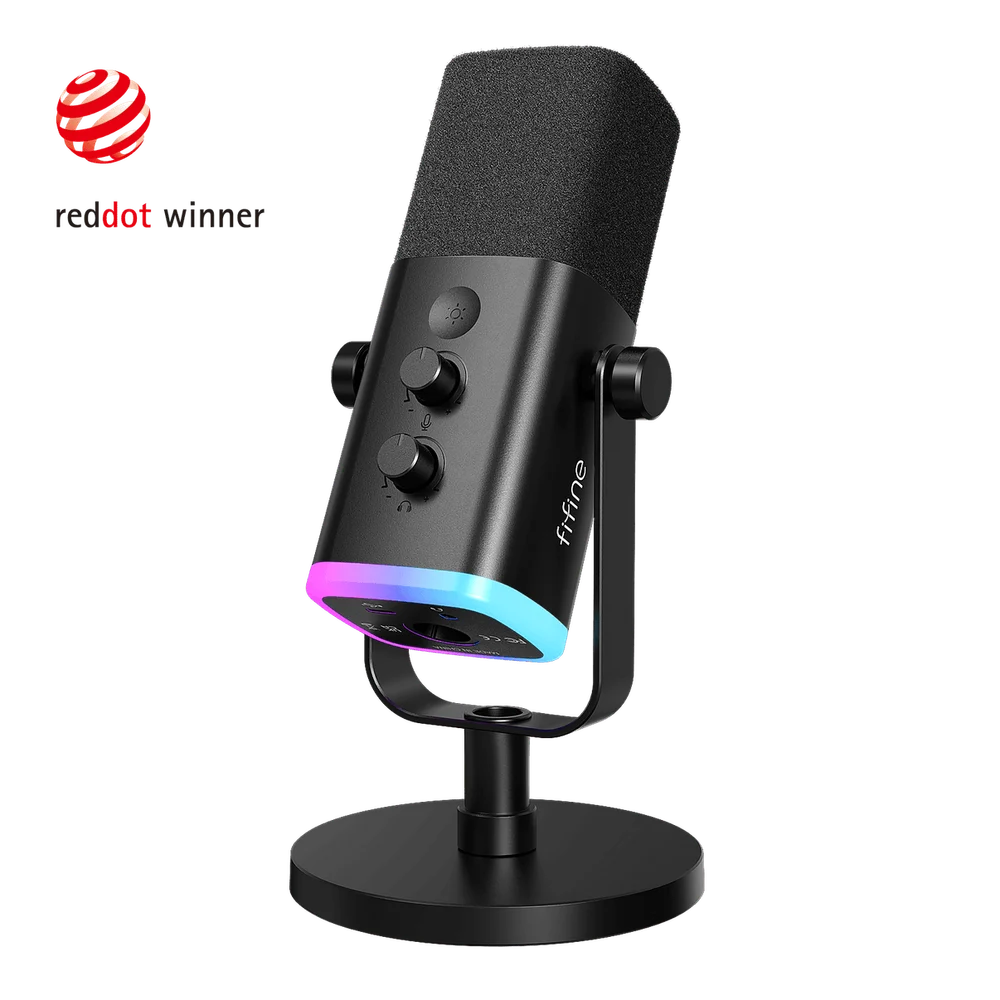 Image: FIFINE.
Key specs: Capsule: dynamic cardioid; Connections: USB and XLR; Monitoring: 3.5 mm headphone output in USB mode; Controls: gain, headphone level and touch mute in USB mode.
The AM8 is the most complete starting setup here for someone recording spoken audio at a desk. At $48.44, you can hear yourself through wired headphones and adjust the input without opening a settings panel. That is useful for a voice-over, a solo podcast or a stream where you need to catch problems as they happen.
XLR gives it a second life with an audio interface, but that connection changes how you operate it. FIFINE’s USB/XLR control explanation says its illuminated controls and headphone functions depend on USB; control the XLR signal at the interface instead. Basic USB use doesn’t need a vendor app. Skip it if you want a tiny mic to leave far away beside your monitor.
2. HyperX SoloCast 2
Buy HyperX SoloCast 2 on Amazon ->
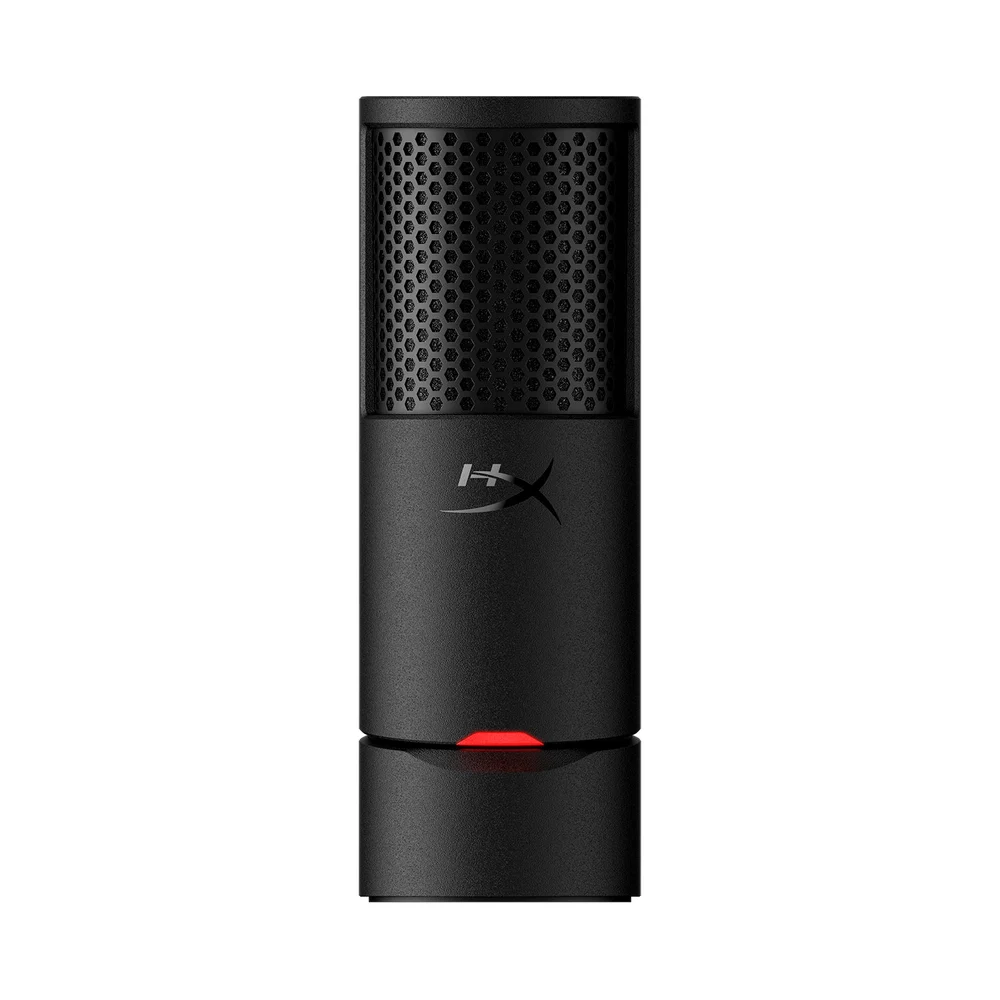 Image: HyperX.
Key specs: Capsule: cardioid condenser; Recording: up to 24-bit/96 kHz; Controls: tap-to-mute with LED; Included isolation: internal shock mount and pop filter.
The SoloCast 2 suits a call-heavy desk where easy muting matters more than listening to your own microphone. Its $44.98 price includes the stand, and its built-in isolation features reduce the number of separate accessories you need to organize. They don’t make a vibrating desk or a noisy room disappear.
HyperX NGENUITY provides optional filter adjustments. The current NGENUITY release requires Windows 11 or later; basic USB recording does not require those optional filters. HyperX lists PC compatibility for this model, so don’t buy it on an assumption about console support. Skip it if direct headphone monitoring is important to your recording workflow.
3. FIFINE K669B
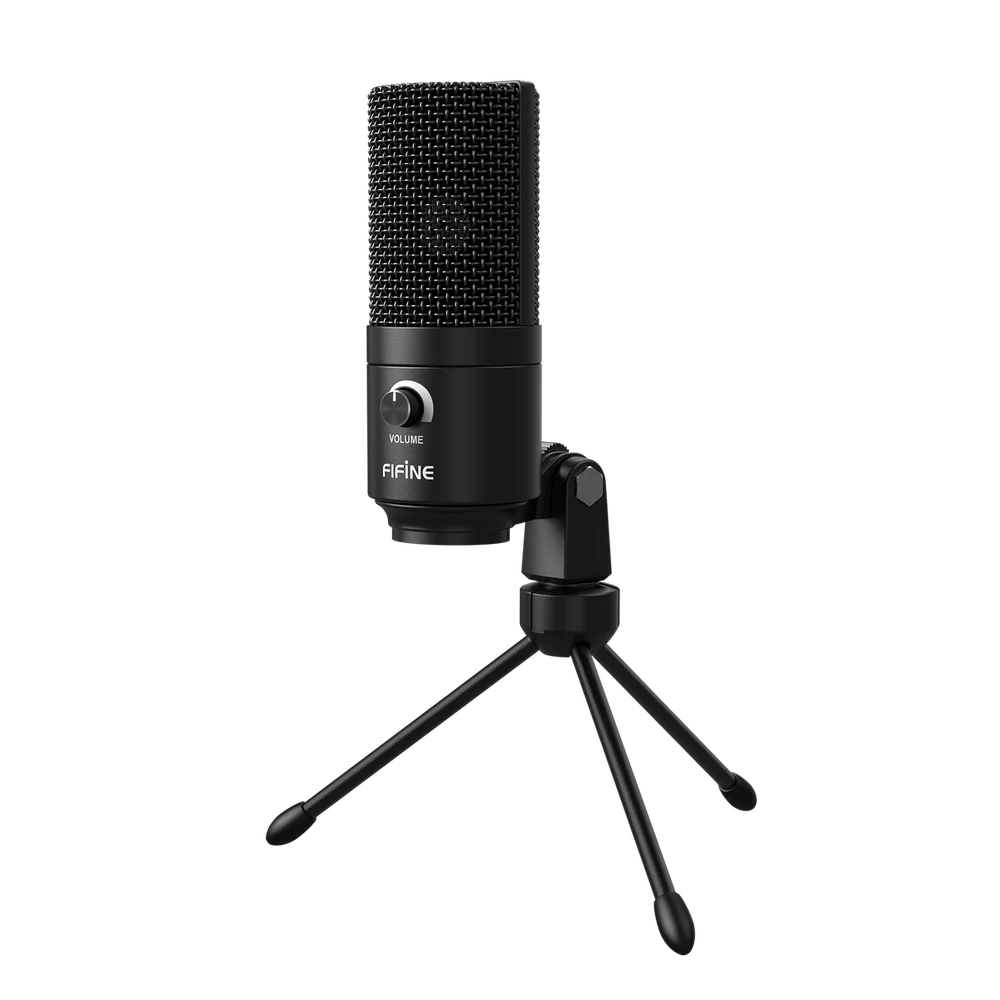 Image: FIFINE.
Key specs: Capsule: cardioid condenser; Power: 5V USB; Control: physical gain knob; Mount thread: 5/8 inch.
The K669B is the budget pick for a quiet room and a straightforward USB connection. At $28.04 before any shipping charge, it provides a stand and a gain control without asking you to buy a mixer. The knob lets you change input level, but turning it to zero isn’t as convenient as a clearly indicated mute button during a busy call.
FIFINE’s setup and compatibility notes cover computer use and PS4/PS5, exclude Xbox, and advise against relying on phone power. Basic use needs no vendor software. Skip it if you need to monitor through the microphone or plan to connect an XLR interface later. Those aren’t accessories you can add to this mic’s USB-only signal path.
4. Razer Seiren V3 Mini
Buy Razer Seiren V3 Mini on Amazon ->
 Image: Razer.
Key specs: Capsule: condenser; Pickup pattern: supercardioid; Control: tap-to-mute with LED; Stand: tilting with built-in shock absorber.
The Seiren V3 Mini is for a small desk where a compact stand and an obvious mute indicator are worth paying for. This is the V3 model, not the original Seiren Mini previously linked here. Its $59.00 price buys that compact arrangement, not a monitoring socket or an XLR upgrade path.
Razer’s product guide describes plug-and-play operation and optional Synapse customization. Synapse is optional for basic recording; use a supported Windows PC for its customization features. A focused pickup pattern still needs you to stay near its intended front. Skip it if you routinely turn away from the mic while speaking or need wired headphone monitoring.
5. Samson Q2U Recording Pack
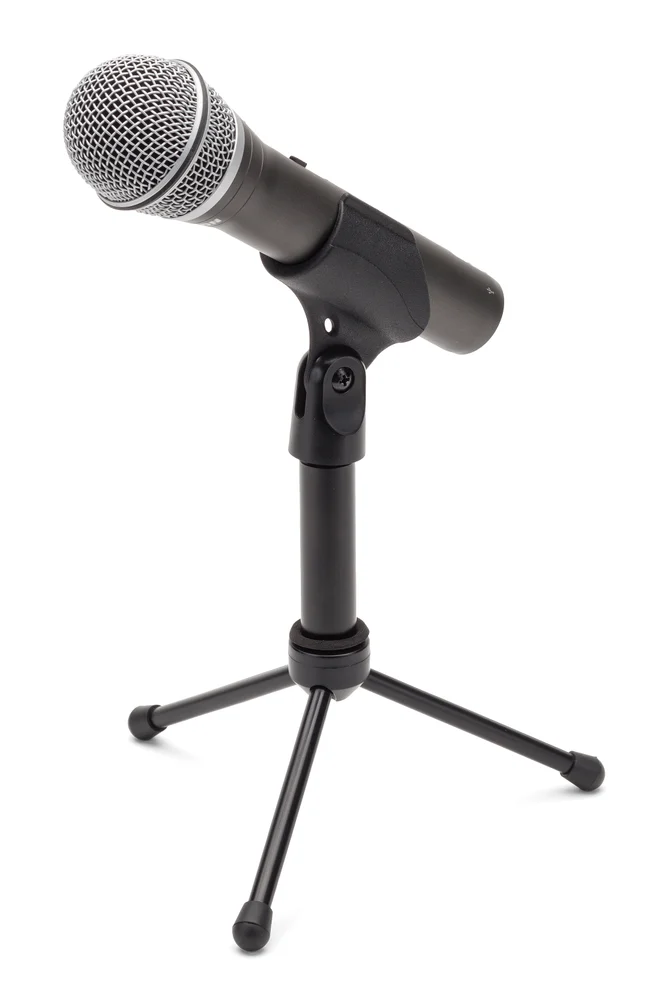 Image: Samson.
Key specs: Capsule: dynamic cardioid; Connections: USB and XLR; Monitoring: 3.5 mm headphone output with level control; Recording: up to 16-bit/48 kHz.
The Q2U makes sense when the same microphone will handle computer recording and occasional mixer or PA use. The $79.99 recording pack includes a stand, clip, windscreen and USB/XLR cables. Its output switch works with both connection types, a practical difference from the AM8’s USB-only touch controls.
Samson’s specifications list plug-and-play support for Mac, PC and Chromebook. No Samson configuration app is required. Check the supplied USB cable when the order arrives: Samson’s current documentation shows USB-C, while older Q2U stock used a different connector. That doesn’t change the USB/XLR choice, but it matters when buying a spare cable. Skip it if the handheld-style body and stand take up more desk space than you want.
Who Should Buy What
- Calls without much setup: SoloCast 2, provided PC support fits your setup.
- Recording with live headphone monitoring: AM8.
- Lowest initial spend: K669B, after checking shipping.
- Computer plus mixer or PA: Q2U.
For listening while recording, our closed-back headphone guide explains isolation and monitoring. If two people will record together, consider separate XLR microphones into one interface rather than assuming a computer will conveniently combine two USB mics.
Sharing a live call with several people around one laptop is a different problem from close-mic recording. Our conference speakerphone comparison covers shared microphone and speaker setups, including the computer adapters and connection limits that are easy to miss.
FAQ
Will a USB microphone remove keyboard noise?
Not by itself. Put it near your mouth, keep the keyboard out of its main pickup direction, and avoid a stand that transmits desk bumps. Make a test recording before enabling noise suppression; strong filtering can also clip quiet words. None of these is a guarantee of silence around your voice.
Do I need an audio interface for these microphones?
No. All five connect by USB. The AM8 and Q2U also have XLR for a later interface or mixer, but you don’t need that equipment to start. With XLR, monitoring and signal adjustment usually move to the interface.
Is 24-bit/96 kHz important for Zoom or Discord?
It isn’t the first thing to optimize. Voice level, placement, room sound and the application’s processing have more immediate consequences for a call. Higher-resolution recording can be useful in a production workflow, but a supported 16-bit/48 kHz microphone isn’t automatically unsuitable for speech.
Can I use these with my phone or game console?
Check the exact manufacturer’s compatibility list, not just the USB connector. A physically matching plug doesn’t establish audio support or sufficient power. Phone adapters and console restrictions can change what works; the computer setup described here should not be read as a promise of universal console compatibility.
Bottom Line
Start with the place the mic will occupy and whether you need to hear it while recording. The AM8 offers the most useful control set here for its price. The SoloCast 2 is easier to justify for simple PC calls, and the K669B keeps the initial bill down. Spending the full $100 won’t help if the microphone is still across the desk.
This article contains affiliate links. PicksLab may earn a small commission at no extra cost to you. Our recommendations are based on the review method described in this article.