Affiliate disclosure: PicksLab earns commissions on qualifying Amazon purchases via the pickslab-20 tag, at no extra cost to you.
You buy a motion sensor so the hallway lights come on when someone walks past. The sensor uses one app, the lights use another, and now you’re shopping for a hub to make them talk. This is the sort of problem Matter is supposed to make easier, but the word on the box doesn’t tell you everything you need to know.
The useful distinction is where you want to build that routine and which accessories it needs to control. Aqara’s M200 brings its sensors and supported Matter devices into Aqara Home. Aeotec’s Hub 2 does the corresponding job for SmartThings. An Echo or Google streamer can make more sense if you already use Alexa or Google Home, while Homey Pro earns its much higher price only when you need its integrations and more elaborate automations.
TL;DR - Our top pick: Aqara Hub M200 is our value pick for a new setup centered on Aqara sensors and supported Matter accessories. It isn’t a universal Zigbee hub, and an existing compatible controller may make buying any of these unnecessary.
Current Prices and Starting Points
Prices checked October 13, 2026 for new US Amazon offers, without a Prime-only discount. These are different ways into a smart-home system, not five interchangeable boxes.
| Product | Price checked | Where it fits | Important purchase detail |
|---|---|---|---|
| Aqara Hub M200 | $69.99 | Aqara sensors plus supported Matter accessories | USB power adapter or PoE source needed |
| Aeotec Smart Home Hub 2 | $129.99 | Samsung SmartThings routines | This generation has no Z-Wave |
| Echo Dot Max + wall mount, Graphite | $149.98 | Alexa voice control and music | Price is for the speaker-and-mount bundle |
| Google TV Streamer 4K, Hazel | $149.99 | Google Home plus a TV upgrade | HDMI cable sold separately |
| Homey Pro 2026 | $449.00 | More involved multi-device automations | Ethernet adapter is an optional extra |
Aqara Direct, Aeotec Home and Homey Official Store sold their respective offers, with Amazon shipping. Amazon sold and shipped the Echo and Google offers. Free standard delivery was shown for all except the Echo bundle, whose final delivery charge needs checking at checkout. Taxes, seller and delivery conditions can change.
Controller, Border Router or Bridge?
For a concrete lighting example, our color-changing smart bulb comparison separates Wi-Fi Matter bulbs from Hue’s Zigbee-to-bridge route, with package prices and the effects that still need each brand’s app.
These jobs are easy to mix up, and buying the wrong one can leave you with exactly the problem you started with.
- A Matter controller adds supported Matter devices to a platform and controls them there. You still need that platform to support the device type and the functions you want.
- A Thread border router connects a Thread network to your home IP network. Matter-over-Thread accessories need that network connection; Matter-over-Wi-Fi accessories don’t need Thread just because they use Matter.
- A bridge exposes supported accessories from another system to Matter. An Aqara Zigbee sensor doesn’t become a native Thread sensor when you bridge it.
Take the hallway example: an Aqara Zigbee motion sensor and a supported Matter Wi-Fi plug can be brought into Aqara Home through the M200, then used in a supported automation. Substitute another brand’s Zigbee sensor and that compatibility is no longer established. Buying a box with both radios doesn’t mean its software accepts every device that uses them.
Google’s Matter documentation explains the Wi-Fi/Thread distinction and identifies its supported hubs. Bluetooth is used during setup; it isn’t a third normal transport for your running Matter network. Our smart plug comparison is a useful next step when the accessory, rather than the hub, is what you still need.
Feature Comparison
| Product | Main app | Thread border router | Other useful capability | Limit that matters |
|---|---|---|---|---|
| Aqara M200 | Aqara Home | Yes | Aqara Zigbee bridging, IR control, PoE | Not a general-purpose third-party Zigbee coordinator |
| Aeotec Hub 2 | SmartThings | Yes | Zigbee 3.0 and supported local routines | No Z-Wave; device drivers and routine conditions matter |
| Echo Dot Max bundle | Alexa | Yes | Zigbee, voice control and a music speaker | No screen; voice services can depend on the cloud |
| Google TV Streamer | Google Home | Yes | 4K TV streaming and gigabit Ethernet | Not a Zigbee hub |
| Homey Pro 2026 | Homey | Yes | Zigbee, Z-Wave and Advanced Flow | Check exact-device integrations, not just radio support |
1. Aqara Hub M200
Buy Aqara Hub M200 on Amazon ->
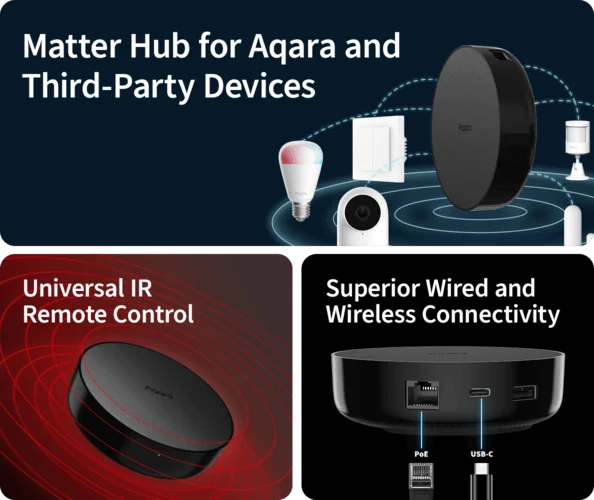 Image: Aqara. Surrounding equipment illustrates uses, not included accessories.
Price checked: $69.99 on October 13, 2026.
Key specs: Roles: Matter controller, Thread border router and Matter bridge; Networking: 2.4/5 GHz Wi-Fi and Ethernet; Power: USB-C 5V/2A or PoE; Additional control: 360-degree IR.
The M200 is the value pick for a home built around Aqara sensors and supported Matter accessories. It provides a place to connect those sensors and build routines, while its bridge can expose supported Aqara accessories to another Matter platform. That makes sense when you want inexpensive contact or motion sensors to trigger lights without rebuilding the whole household around a new app.
The wired options are a useful difference from a smart speaker. Ethernet avoids putting the hub itself on Wi-Fi, and PoE can carry power over that cable if you already have the appropriate network equipment. The included USB cable isn’t a wall power adapter. IR control can also operate compatible remotes’ functions, but it isn’t proof that an old appliance reports every setting accurately back to your smart home.
Use Aqara Home, available for Android and iOS. Add devices in Aqara Home and check the receiving platform’s supported device types before sharing them through Matter. The M200 specifications describe the supported roles and package contents. Skip it if you expect it to pair with every brand of Zigbee accessory.
2. Aeotec Smart Home Hub 2
Buy Aeotec Smart Home Hub 2 on Amazon ->
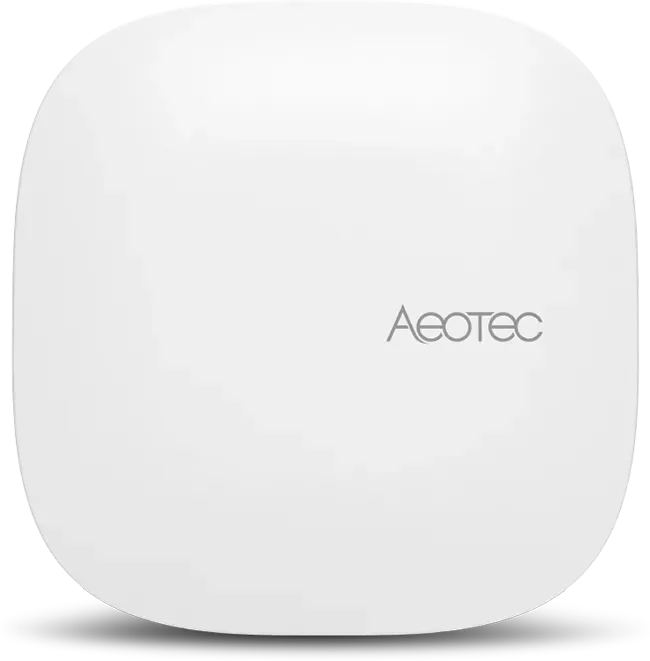 Image: Aeotec.
Price checked: $129.99 on October 13, 2026.
Key specs: Platform: Samsung SmartThings; Radios: Thread and Zigbee 3.0; Networking: Ethernet or Wi-Fi; Power: USB-C 5V/2A.
The Aeotec is the direct fit when SmartThings is where you want your routines to live. A supported door sensor, lamp and motion detector can be organized in the same platform instead of asking everyone in the house to use a different brand’s app for each room. The hub adds the hardware needed for supported Zigbee and Thread accessories as well as Matter control.
Don’t buy it as an automatic replacement for an older Aeotec or Samsung hub without checking your existing devices. This Smart Home Hub 2 lacks Z-Wave, despite older hubs in the family offering it. Skip it if the devices you need to keep use Z-Wave. Local execution is also a property of the supported device drivers and routine, not a promise that every SmartThings integration works without internet access.
Aeotec’s setup guide and official SmartThings app links cover Android and iOS. Setup requires a Samsung account; on iOS, grant Local Network permission. The supplied power adapter and optional Ethernet connection make this a straightforward standalone hub, provided the exact supported hardware matches what you own.
3. Amazon Echo Dot Max with Wall Mount
Buy the Echo Dot Max Graphite and wall-mount bundle on Amazon ->
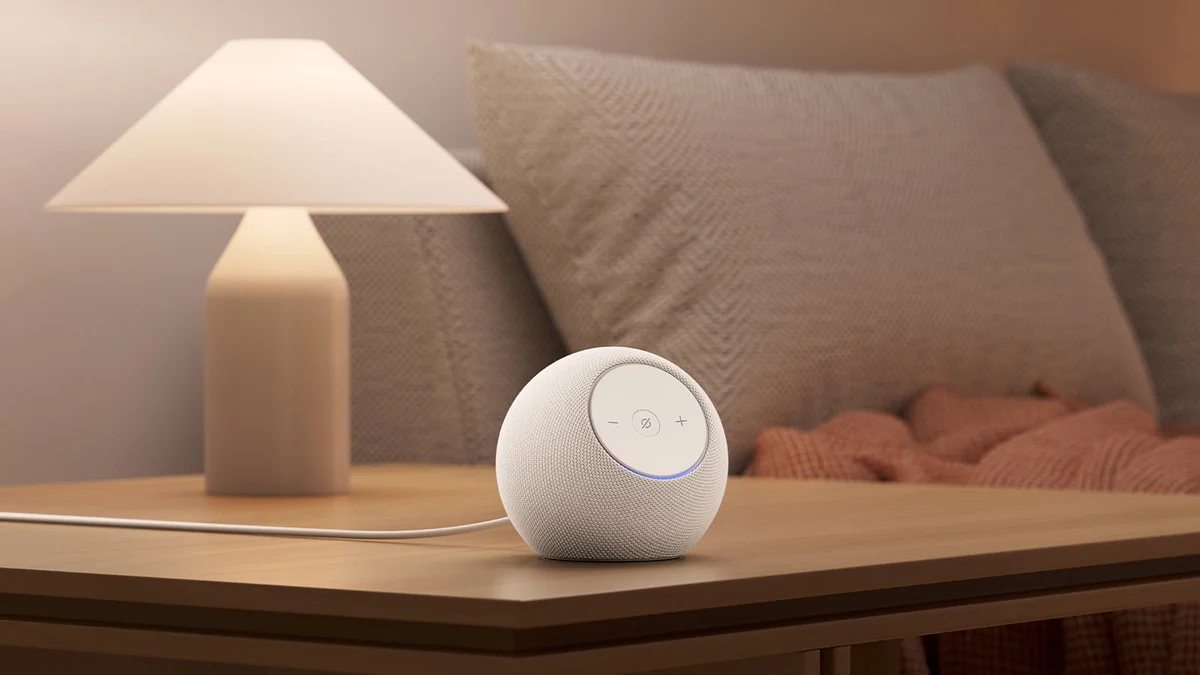 Image: Amazon. White model shown; the verified offer is Graphite with a separate Made for Amazon wall mount, not pictured.
Price checked: $149.98 for the speaker-and-wall-mount bundle on October 13, 2026, not a standalone speaker price.
Key specs: Smart-home support: Matter and Zigbee; Thread role: built-in border router; Audio: woofer plus tweeter; Display: none.
The Echo Dot Max fits a household that wants to speak a command rather than open a dashboard. Its speaker gives the hub a second job: music, timers and spoken responses. That can justify occupying a kitchen counter in a way that a box with an indicator light doesn’t. It does not provide the visual control panel of an Echo Hub or Echo Show.
Amazon’s hardware announcement identifies the two-driver speaker and smart-home radios, and its Thread support list confirms the Dot Max’s border-router role. Neither establishes that an arbitrary accessory exposes every feature in Alexa. Check Alexa’s supported Matter device categories for the functions your routine needs.
Use the official Alexa app. An Amazon account and a supported Alexa app are required; keep the speaker online for cloud-dependent voice services. Skip this bundle if you don’t need the wall mount or want a touchscreen. The bundle is the offer we could verify, not evidence that it is the cheapest way to buy a Dot Max.
4. Google TV Streamer 4K
Buy Google TV Streamer 4K in Hazel on Amazon ->
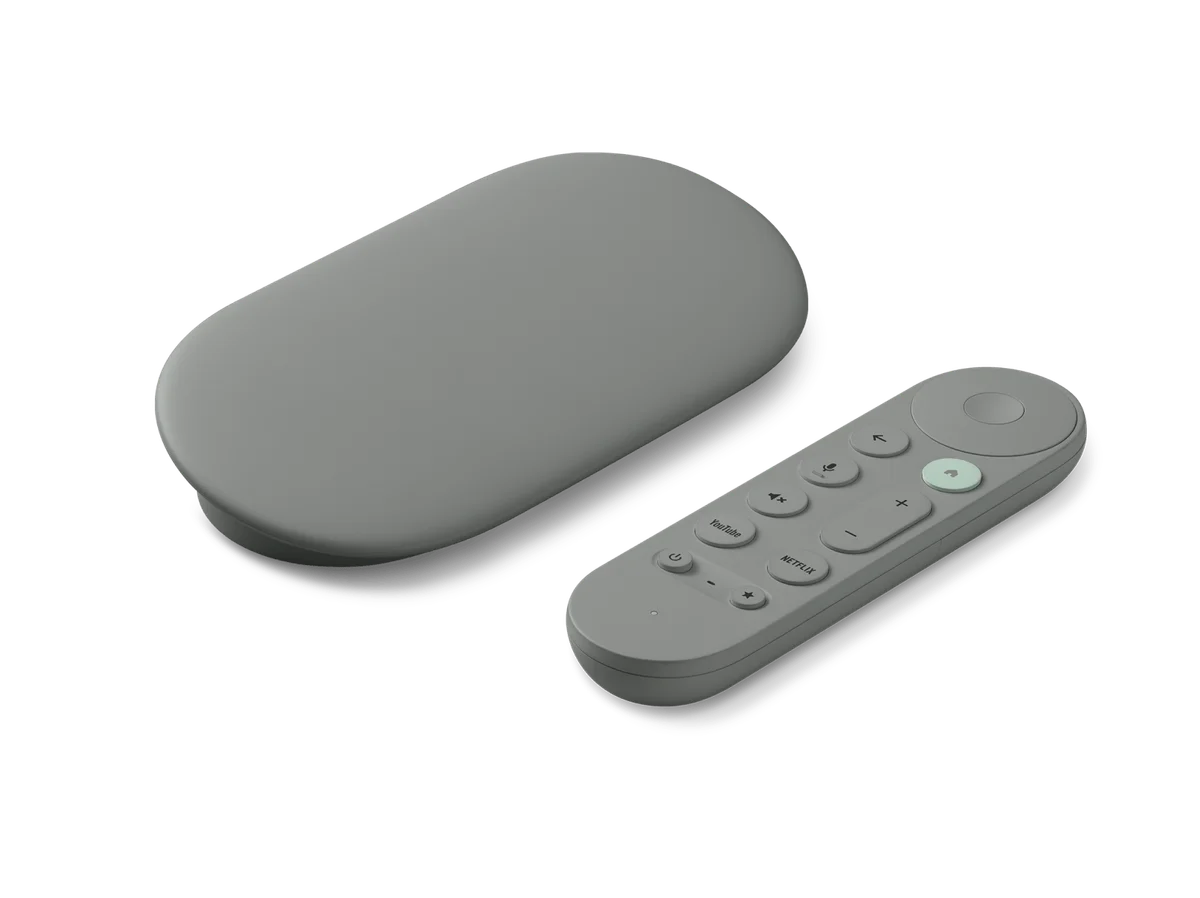 Image: Google.
Price checked: $149.99 for the Hazel offer on October 13, 2026.
Key specs: Smart-home role: Matter hub and Thread border router; Wired network: gigabit Ethernet; Memory/storage: 4 GB / 32 GB; Video output: up to 4K HDR at 60 fps.
The Google TV Streamer is useful when you need both a Google Home hub and a television streaming upgrade. Its Ethernet port is convenient beside a wired TV setup, and the Thread radio can connect compatible low-power accessories without asking those accessories to join Wi-Fi. A smart-home panel on the television is a different experience from a permanently visible wall dashboard, so decide whether you will actually use it there.
The official specifications list its storage, network ports and video capabilities. Budget for a suitable HDMI cable if you don’t already have one; it isn’t included. Streaming subscriptions are separate from buying the hardware, and the device isn’t a bridge for your old Zigbee sensors.
Use the official Google Home app. Setup needs a Google account and compatible Android or iOS device; keep the streamer powered for its hub role. Skip it if you already have a suitable Google Home hub and don’t need another streamer. In particular, Google’s supported-hub list includes the Nest Hub second generation as a Thread border router. You don’t need to replace one merely to obtain Thread.
5. Homey Pro 2026
Buy Homey Pro 2026 on Amazon ->
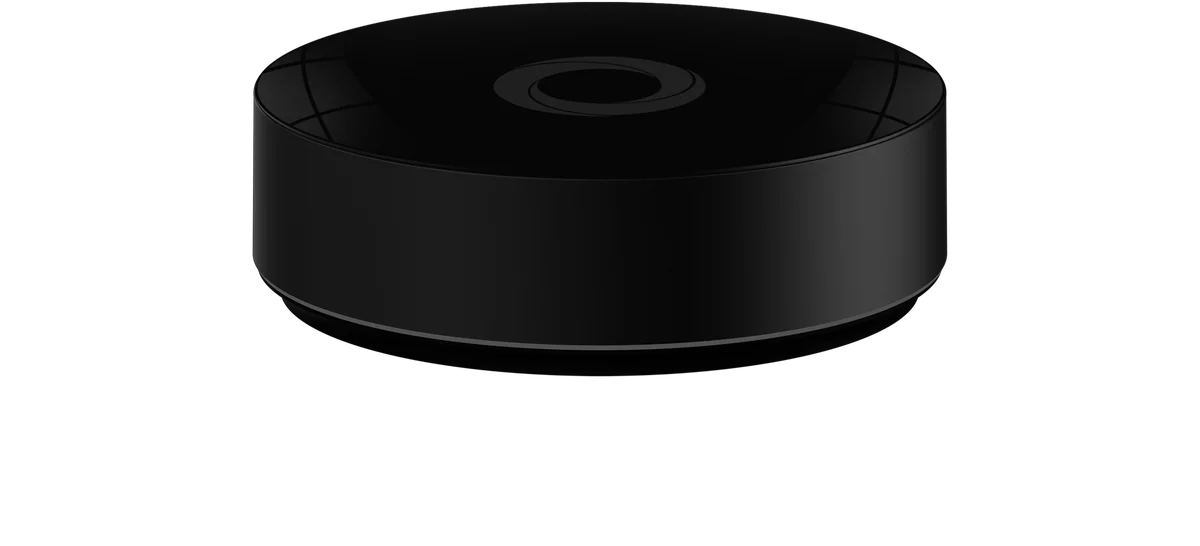 Image: Homey, from its current Pro page. Pro generations share this exterior; check the 2026 specification rather than identifying the version by its shell.
Price checked: $449.00 on October 13, 2026.
Key specs: Memory: 4 GB; Storage: 8 GB; Radios: Thread, Zigbee and Z-Wave Plus 700; Wired network: optional Ethernet adapter.
Homey Pro is the ambitious-automation pick, not the economical way to switch two lights. Its attraction is combining supported devices and services into Flows, including visual Advanced Flow sequences with conditions and multiple actions. For example, you might want a lighting routine to depend on both occupancy and time, while another action uses a supported device from a different manufacturer. Whether that exact sequence works depends on the integrations, not just the number of radios.
Homey documents the 2026 model’s 4 GB memory and other generation differences, plus its Thread border-router support. Pro runs its core automation platform locally; an integration that relies on a manufacturer’s cloud still needs that service. The Ethernet adapter is an extra purchase, and optional cloud backup is separate from basic Pro operation.
Install the official Homey app and browse the integration directory. Match each exact device to a supported Homey integration before buying; a listed radio alone does not establish device compatibility. Skip it if your automations are already handled by the platform you own. If you would rather maintain your own automation server, our home server guide explains the broader hardware decision, but that is a different level of responsibility from buying a hub.
Check What You Already Own Before Buying
Start with one automation you actually want, not a shopping list of protocol logos. Write down the sensor, the action and the app in which you want to connect them. Then check these three things:
- Does that app support both exact devices and the required feature? On/off support isn’t the same as energy monitoring, a camera feed or every lock setting. A manufacturer’s advanced features may remain in its own app.
- Is a compatible controller already running in the house? Google lists Nest Hub second generation, Nest Hub Max and Nest Wifi Pro among its Thread-capable options. For Apple Home, Apple’s home-hub guidance identifies supported HomePod and Apple TV hardware. A third-party bridge does not replace every role of an Apple home hub.
- Is the network set up for discovery? Google’s Matter instructions require IPv6 on the local network. Guest-network isolation can also prevent devices from communicating. Check the platform’s setup instructions before changing network security settings; a new hub won’t correct an isolated or incompatible network by itself.
This is the purchase check that matters most: if your existing controller supports the accessory and the intended automation, there may be nothing to buy. If network coverage is the actual problem, work through the placement and connection options in our home router guide before treating another smart-home hub as a Wi-Fi upgrade.
Who Should Buy What
- Aqara sensor setup: M200 connects supported Aqara and Matter devices without the price of Homey Pro.
- SmartThings household: Aeotec Hub 2, provided you don’t need Z-Wave.
- Alexa and music: Echo Dot Max bundle, if the wall mount is useful and a screen isn’t.
- Google Home and an older TV setup: Google TV Streamer, when you need both jobs filled.
- Complex supported integrations: Homey Pro 2026, after checking the actual devices in Homey’s directory.
FAQ
Does every Matter device need a Thread border router?
No. Matter-over-Thread devices need a Thread border router; Matter-over-Wi-Fi devices use your Wi-Fi network. Your platform may still require a compatible Matter hub for its control and automation features. Bluetooth helps with commissioning, but isn’t the normal ongoing transport for these Matter devices.
Can one hub replace every smart-home ecosystem?
No. Matter can make supported devices available across platforms, but each platform supports particular device types and functions. Bridging adds another compatibility boundary. Check your exact accessories and the commands you need instead of assuming that Matter, Zigbee or Thread on the box guarantees everything will work.
Will these hubs work without internet access?
Some local device commands and automations can continue when the internet fails, but that depends on the hub, device driver and routine. Remote access, cloud integrations and many voice services still need internet access. Homey Pro’s local platform or a supported SmartThings local routine doesn’t make an unrelated cloud-dependent accessory work offline.
Should I replace an older hub just to get Matter?
Not without checking what you have. It may already support Matter or Thread through its current firmware, or a supported bridge may expose your existing accessories. Conversely, replacing an older hub with a newer one can remove a radio you still need, as with Z-Wave and the Aeotec Hub 2. Preserve the functions your current devices actually use.
Bottom Line
Water sensors make that compatibility distinction particularly important. Our water leak detector comparison separates sensor-only offers from complete hub kits and explains which alerts still depend on internet access.
For a new Aqara-centered setup, the M200 offers the most useful starting combination here for the money. For an existing home, the better answer is often to stay with its app and buy only the missing capability. Check one real automation from sensor to action before ordering: that tells you more than a long list of wireless standards.
This article contains affiliate links. PicksLab may earn a small commission at no extra cost to you. Our recommendations are based on the review method described in this article.