Affiliate disclosure: PicksLab earns commissions on qualifying Amazon purchases, at no extra cost to you.
Does the afternoon sun hit your monitor at exactly the wrong time? Or do you close half a dozen blinds every evening just to get some privacy? Motorized blinds can take care of that repetitive job. The tricky part is buying the right kind: a motor that turns an existing blind’s slats, a replacement roller shade, and a motor hidden inside a roller tube are three different installations.
TL;DR - Our top pick: The SwitchBot Blind Tilt is the economical starting point when you already have compatible wand-operated horizontal blinds. It changes the slat angle, not the height. For a new shade with direct phone control, the Yoolax Bluetooth model is a more complete replacement, but scheduling still adds a hub.
Prices and What Is Included
Prices checked October 13, 2026, for ordinary new offers, before tax. Each had an active purchase button and free standard delivery in the checked US listing. These are the exact sizes and versions linked, not starting prices for an unspecified custom order. Measure your window before buying; another size can have a different price, motor or delivery date.
| Product | Price checked October 13, 2026 | What it does | Additional-cost catch |
|---|---|---|---|
| SwitchBot Blind Tilt | $59.99 | Turns an existing blind’s tilt wand | Hub needed for out-of-home control and integrations |
| Allesin M100, Smoky Gray, 31 x 72 inches | $69.69 | Battery roller shade with remote | Phone/voice control requires a compatible bridge |
| Grandekor no-drill shade, White, 34.5 x 36 inches | $71.99 | Tension-mounted motorized roller shade | Treat this offer as remote-operated, not a verified app bundle |
| Yoolax Bluetooth shade, Ashfall Gray, 35 x 72 inches | $151.00 | Rechargeable shade with direct app control | Remote not included; scheduling needs Bluetooth hub |
| Eve Motionblinds Matter Upgrade, large-tube kit | $219.95 | Replaces a compatible roller shade’s internal mechanism | Existing shade, Matter controller and Thread border router needed |
Feature Comparison
The two inexpensive remote-operated shades are included as alternatives to a full smart-home installation. If pressing a remote solves the problem, you may not need an app or a new hub at all.
| Product | Tilt or lift? | Power | Phone and automation route | Installation limit |
|---|---|---|---|---|
| SwitchBot | Tilt only | Rechargeable battery; solar panel included | Nearby Bluetooth app; compatible SwitchBot hub for remote access | Compatible horizontal blind with a tilt wand |
| Allesin M100 | Lift roller shade | Six AA batteries | Included remote; exact bridge compatibility must be confirmed | Replacement shade and mounting brackets |
| Grandekor no-drill | Lift roller shade | Battery-powered | Remote; app upgrade not verified for this exact offer | Suitable frame for tension mount |
| Yoolax Bluetooth | Lift roller shade | Rechargeable; optional solar charging | Yoolax Home; hub required for timers and sunrise/sunset | Exact ready-made width and mounting depth |
| Eve upgrade kit | Lift existing roller shade | USB-C rechargeable | Matter over Thread through a compatible home platform | Large tube, adapters and minimum shade width |
Before You Buy: Follow the Moving Part
First, operate the window covering by hand. If turning a wand adjusts the slats, a tilt motor can automate that movement. It cannot also raise the blind unless it has a separate lifting mechanism. Installing a tilt motor does not remove an existing lift cord or turn the whole blind into a cordless product.
If you pull a chain to roll fabric around a tube, decide whether to replace the shade or keep it. Replacing it lets you choose new fabric and dimensions. Keeping it with an internal motor means measuring the tube and checking its shape, not just measuring the window. Eve specifically excludes some tubes, including IKEA and Hunter Douglas designs, from its large-tube upgrade compatibility.
Then write down the action you actually want: close the shade with a remote, close it at sunset, or close it while away. Those are not interchangeable features. Our smart-home hub guide explains why a Matter controller, a Thread border router and a brand-specific bridge are different jobs.
For a three-window room, multiply the shade or motor price by three, then add the required shared hub, remotes, solar panels or replacement batteries. Don’t buy one incompatible motor first and discover that the rest of the system needs replacing too.
1. SwitchBot Blind Tilt
Buy SwitchBot Blind Tilt on Amazon ->
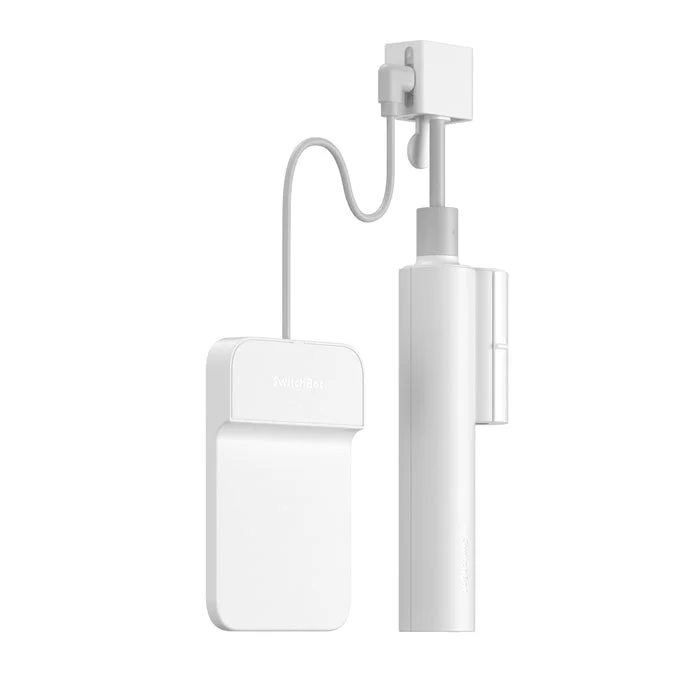 Image: SwitchBot.
Key specs: Movement: horizontal-blind slat tilt; Battery: rechargeable 2,000 mAh; Included charging: solar panel; Local connection: Bluetooth.
The Blind Tilt is the sensible retrofit when the existing blind already fits and you only want to automate glare and privacy. At $59.99, it leaves the headrail and slats in place. Its light-sensing function gives it a reason to exist beyond saving you a few steps across the room.
Use the SwitchBot product and app setup guide to check the wand and mounting arrangement. Nearby phone control uses Bluetooth; out-of-home control requires a compatible SwitchBot hub. Matter sharing also depends on the chosen hub, not the Blind Tilt alone. Skip it if you need the whole blind raised out of the window rather than its slats opened.
2. Allesin M100 Battery Roller Shade
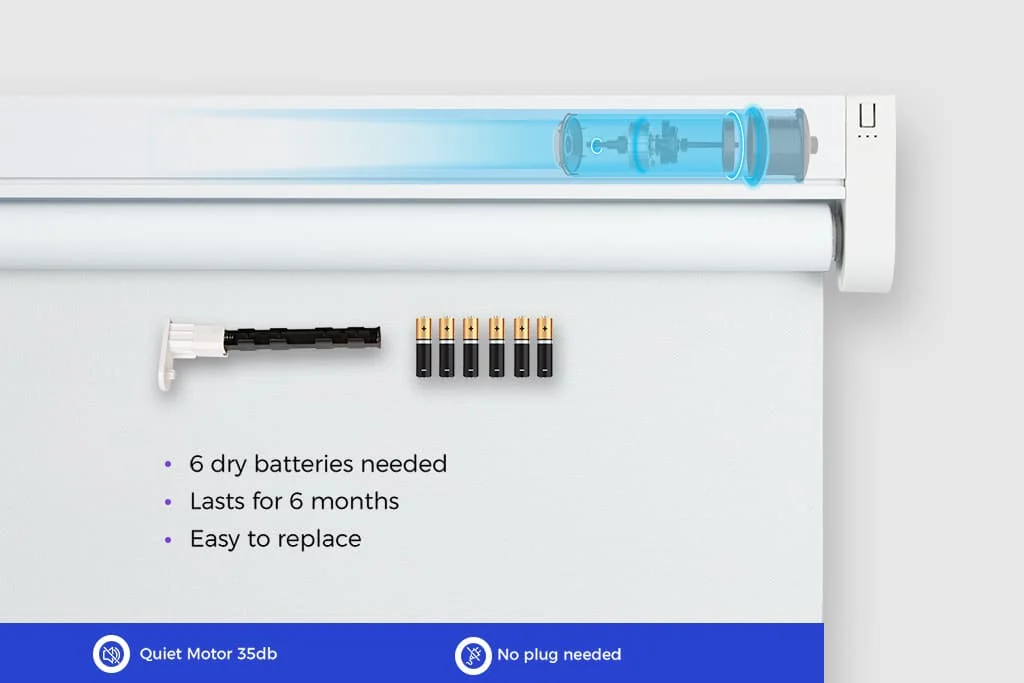 Image: Allesin’s M100 and M130 guide, showing the M100 battery arrangement. Linked offer: Smoky Gray, 31 x 72 inches.
Key specs: Movement: roller-shade lift; Power: six AA batteries; Included control: single-channel remote; Motor series: M100.
The M100 is the low-cost choice when a remote solves the problem and you don’t need a phone involved. The checked $69.69 offer is one fixed size, not a custom-fit quote. Replaceable batteries avoid taking a charging cable to the window, but you still need access to the battery compartment.
Allesin’s model explanation distinguishes the AA-powered M100 from its rechargeable M130. It describes bridge-based app control, but the current Smart Bridge page does not establish that every new bridge supports this older motor. Get that exact pairing confirmed before budgeting for an upgrade. Skip it if Matter or phone scheduling must work out of the box.
3. Grandekor No-Drill Motorized Roller Shade
Buy Grandekor No-Drill Shade on Amazon ->
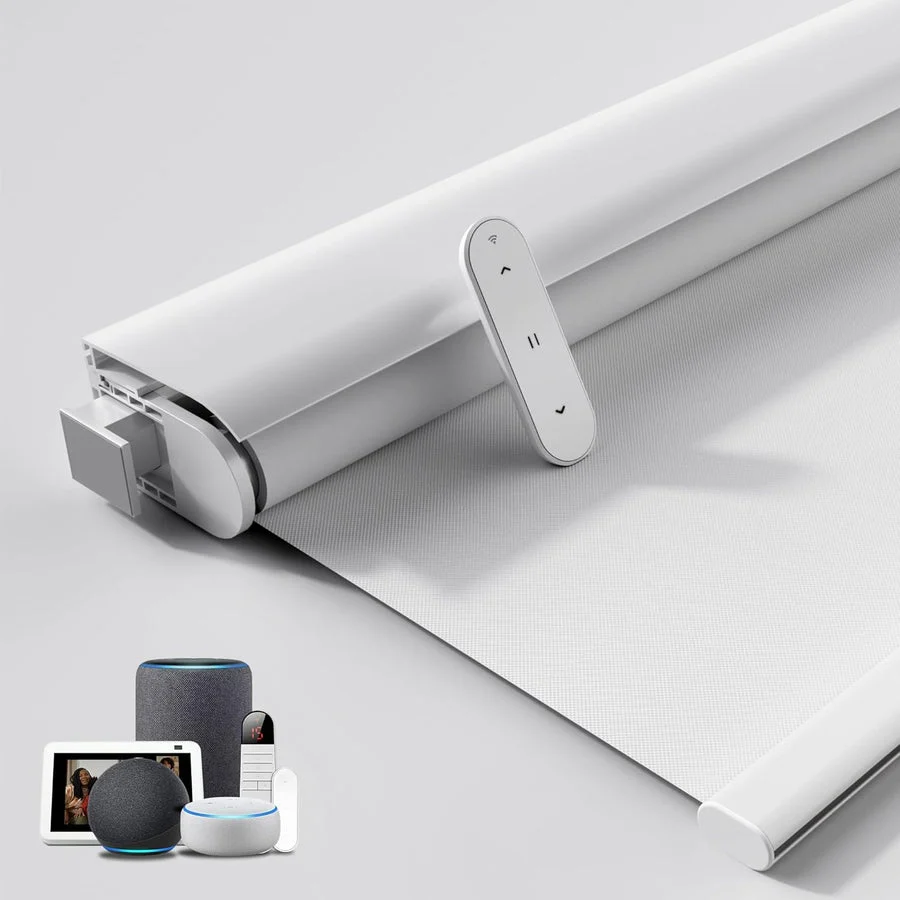 Image: Grandekor. Linked offer: White, 34.5 x 36 inches. The manufacturer’s illustration also shows smart-home accessories; their inclusion and compatibility are not established for this offer.
Key specs: Movement: motorized roller-shade lift; Mount: no-drill tension system; Power: battery; Linked size: 34.5 x 36 inches.
The Grandekor is worth considering when the installation is the obstacle, especially where you cannot drill into the frame. Its $71.99 price is for the short, ready-made white shade in the table. A tension mount needs a suitable, correctly measured opening; it is not a promise that every rental window can take it.
Grandekor separates its battery-powered drill-free model from other roller-shade designs. Treat the linked configuration as a remote-operated shade: app, voice and hub compatibility were not established for this exact offer. Skip it if your requirement is a verified Alexa, Apple Home or Google Home routine. The low price doesn’t make missing integration evidence a feature.
4. Yoolax Bluetooth Blackout Roller Shade
Buy Yoolax Bluetooth Shade on Amazon ->
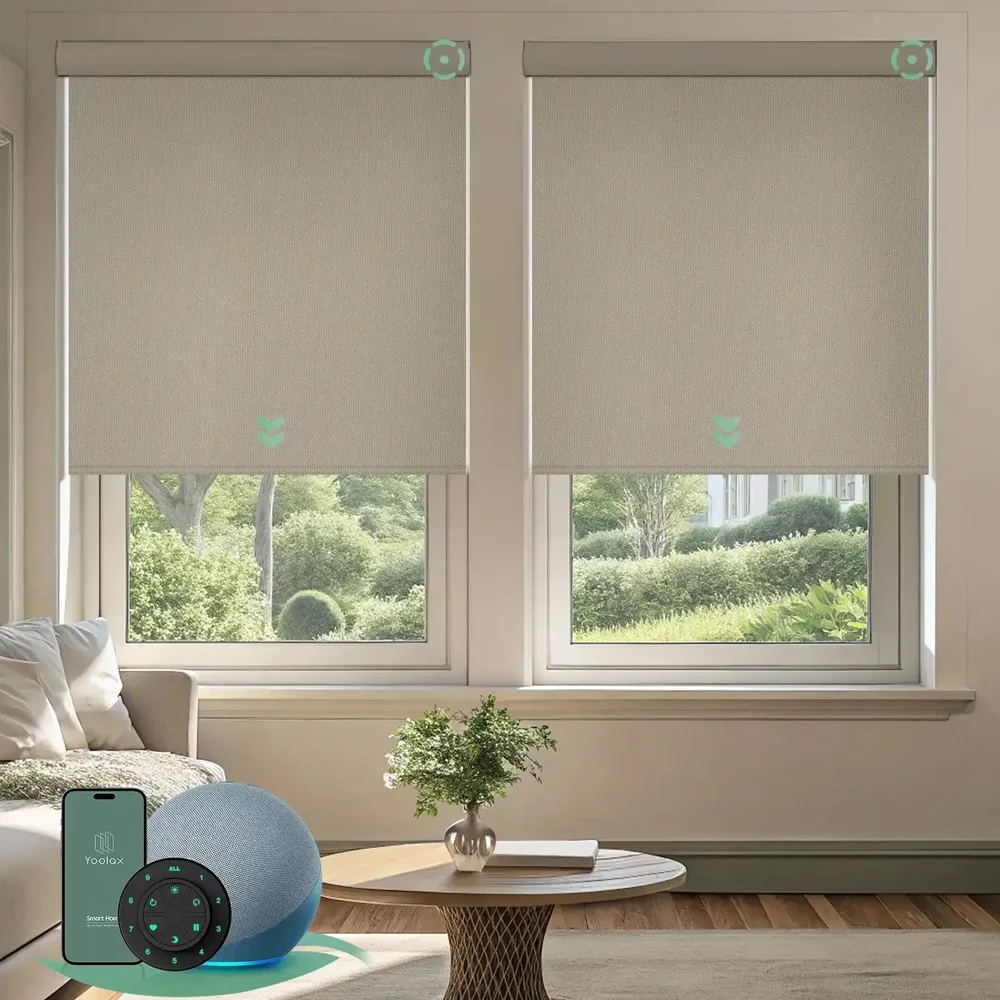 Image: Yoolax blackout roller-shade range, shown in Vinyl Light Coffee. The linked ready-made offer is Ashfall Gray, 35 x 72 inches; the photo is not a finish swatch or a promise of included controls.
Key specs: Movement: roller-shade lift; Motor connection: Bluetooth; Power: rechargeable battery; Fabric: blackout polyester in the linked ready-made offer.
The Yoolax is the more useful replacement when you want everyday phone control without immediately buying a hub. The $151.00 ready-made offer connects to Yoolax Home, but does not include a remote. That matters if someone in the house would rather press a button than install an app.
Use Yoolax’s Bluetooth app setup instructions, not the instructions for its Zigbee or Matter motors. Direct Yoolax Home control supports up to three blinds without a hub; timers, sunrise/sunset routines and voice integration require the compatible Bluetooth hub. The hub page describes its Alexa and Google connection. Skip it if you expect scheduled opening or an included handheld remote at the shade-only price.
The ready-made listing requires at least 2.4 inches of frame depth for inside mounting. Blackout describes the fabric, not a guarantee of a pitch-black room: gaps beside an inside-mounted shade still let light through. Follow the exact variant’s measurement instructions rather than borrowing the width deduction from another brand.
5. Eve Motionblinds Matter Upgrade Kit
Buy Eve Motionblinds Matter Upgrade on Amazon ->
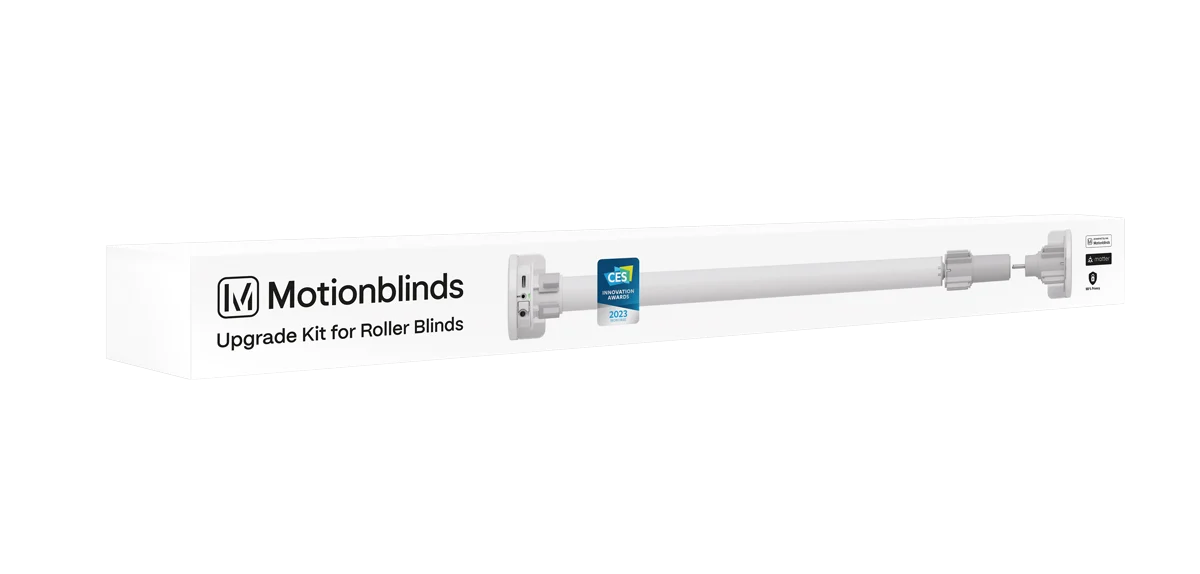 Image: Eve.
Key specs: Network: Matter over Thread; Power: USB-C rechargeable battery; Large-kit tube diameter: 38-51 mm outside diameter; Minimum blind width: 680 mm.
The Eve kit is the upgrade for keeping a suitable roller shade while adding it to a Matter-based home. At $219.95, it is a motor kit, not a complete window covering. Its appeal is retaining fabric you already like and using the home platform you already run, not finding the cheapest way to close one window.
Check Eve’s compatibility and setup guide before dismantling anything. This large-tube kit needs a compatible Matter controller and Thread border router; Bluetooth alone is not the operating network. No Eve cloud account or subscription is required, but your chosen platform has its own setup requirements. Skip it if the tube dimensions, tube shape or minimum width do not match. Buying adapters does not make an excluded shade automatically compatible.
Who Should Buy What
- Keep good horizontal blinds: SwitchBot Blind Tilt, if slat movement is enough.
- Remote operation at a modest price: Allesin M100.
- Avoid drilling a suitable frame: Grandekor, after measuring for its tension mount.
- Replace the shade and use a phone: Yoolax Bluetooth, with hub cost included if you need schedules.
- Keep a compatible roller shade in a Matter home: Eve.
For a room-wide evening routine, the same platform decision affects smart lighting and smart plugs. Check whether the routine can actually control each device before buying everything with the same logo on the box.
FAQ
Do smart blinds need Wi-Fi?
Not necessarily. A remote-only shade can work without a network, SwitchBot and the selected Yoolax use Bluetooth for nearby phone control, and Eve uses Thread. Internet access, a bridge or a controller may still be needed for the particular remote-access or automation feature you want.
Can SwitchBot Blind Tilt raise my blinds?
No. It turns the tilt wand to change the slat angle. It does not pull the lift mechanism, remove an existing cord or retract the blind above the window. Choose a lifting roller-shade solution if you need the opening cleared.
Will blackout shades make the bedroom completely dark?
Blackout fabric blocks light through the material, but light can still enter around its edges. Frame depth, mounting position, fabric width and surrounding gaps matter. An outside mount or a dedicated light-blocking arrangement may be more suitable than a narrow inside mount.
Can I use one remote or app for the whole room?
Only when the motors and control system support it. Allesin offers multi-channel control, and Yoolax’s direct Bluetooth setup has a three-blind limit before adding its hub. Don’t assume different brands, radio types or motor generations will share a remote just because all are described as smart blinds.
Bottom Line
Buy the movement and routine you need, then check the installation. SwitchBot Blind Tilt can be a good-value retrofit, but it is the wrong product for raising a blind. A replacement shade buys a different capability, and an app-controlled shade may still need more hardware before it follows a schedule.
This article contains affiliate links. PicksLab may earn a small commission at no extra cost to you. Our recommendations are based on the review method described in this article.